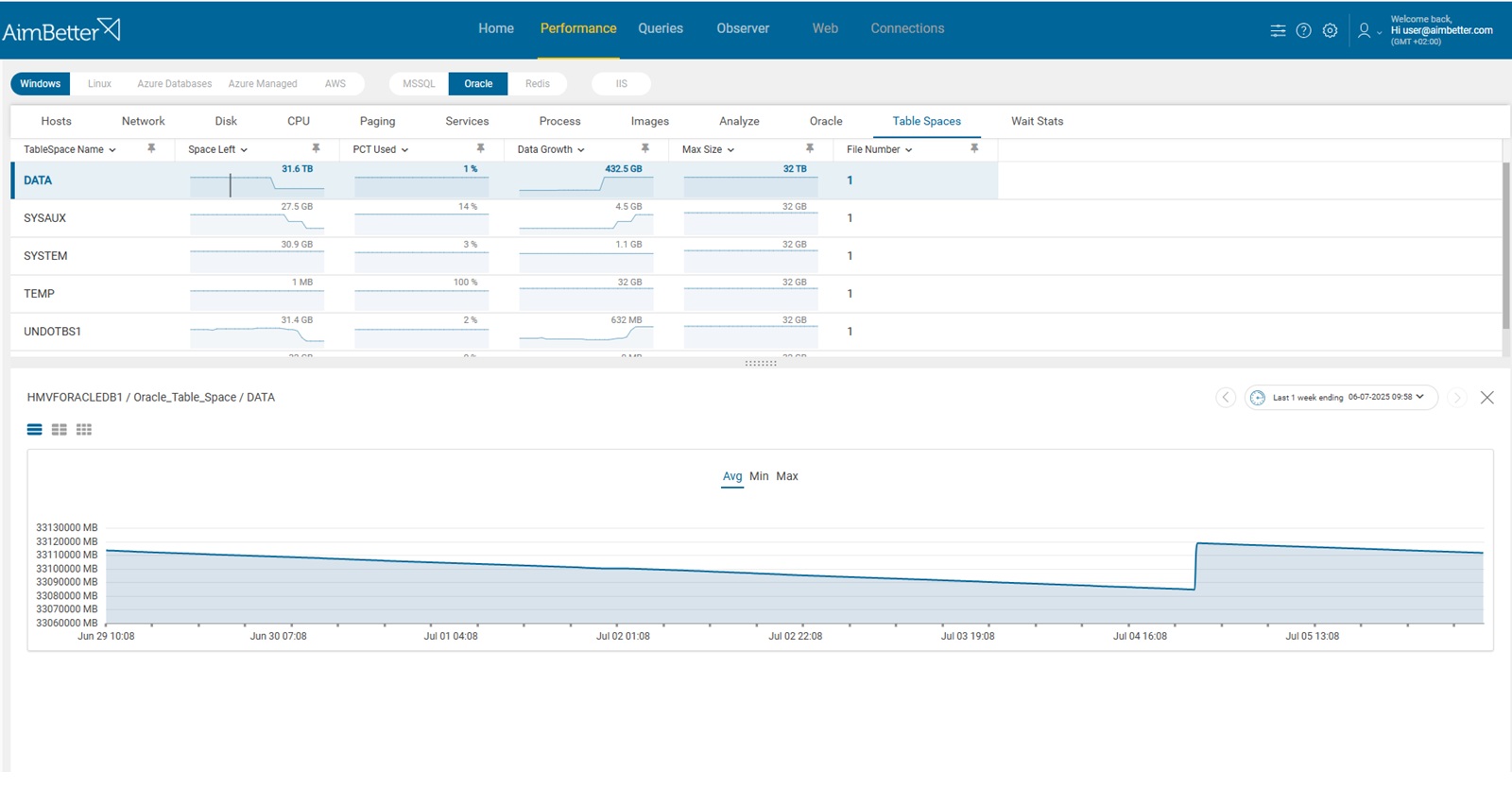
Tablespaces are logical storage units in Oracle databases that hold objects such as tables, indexes, and temporary data. When a tablespace becomes full:
- DML operations (INSERT/UPDATE) may fail
- Applications can crash or hang
- Critical processes may stop unexpectedly
- Database performance can degrade significantly
This is why the high % usage alert serves as an early warning indicator, helping DBAs react before reaching a critical state.
However, in Oracle environments, the interpretation of this percentage depends on the underlying storage configuration. When autoextend is enabled, tablespaces can dynamically expand, meaning that the current allocation does not necessarily represent the final capacity limit. In such cases, a high utilization percentage reflects pressure on the currently allocated space, rather than immediate exhaustion risk.
Because of this, not every high percentage indicates a problem. Some tablespaces are designed to behave differently, and understanding the context is key to avoiding false alarms and unnecessary interventions.
When High Tablespace Usage Is OK
Not all tablespaces behave the same. Seeing 90% or even 100% usage can be normal in certain cases:
TEMP Tablespace
- Used for sorting, joins, and intermediate operations
- Designed to fill up during heavy queries and then release space
- Can show very high usage temporarily, even 100%
- Normal if usage drops after the workload completes
- Problematic if consistently full or causing query failures
USERS (or Application Data) Tablespace
- Stores application data (tables, indexes)
- May reach high usage in growing systems without autoextend or capacity planning
- Normal pattern if autoextend is enabled and growth is controlled
- Problematic if space is fixed and nearing full capacity
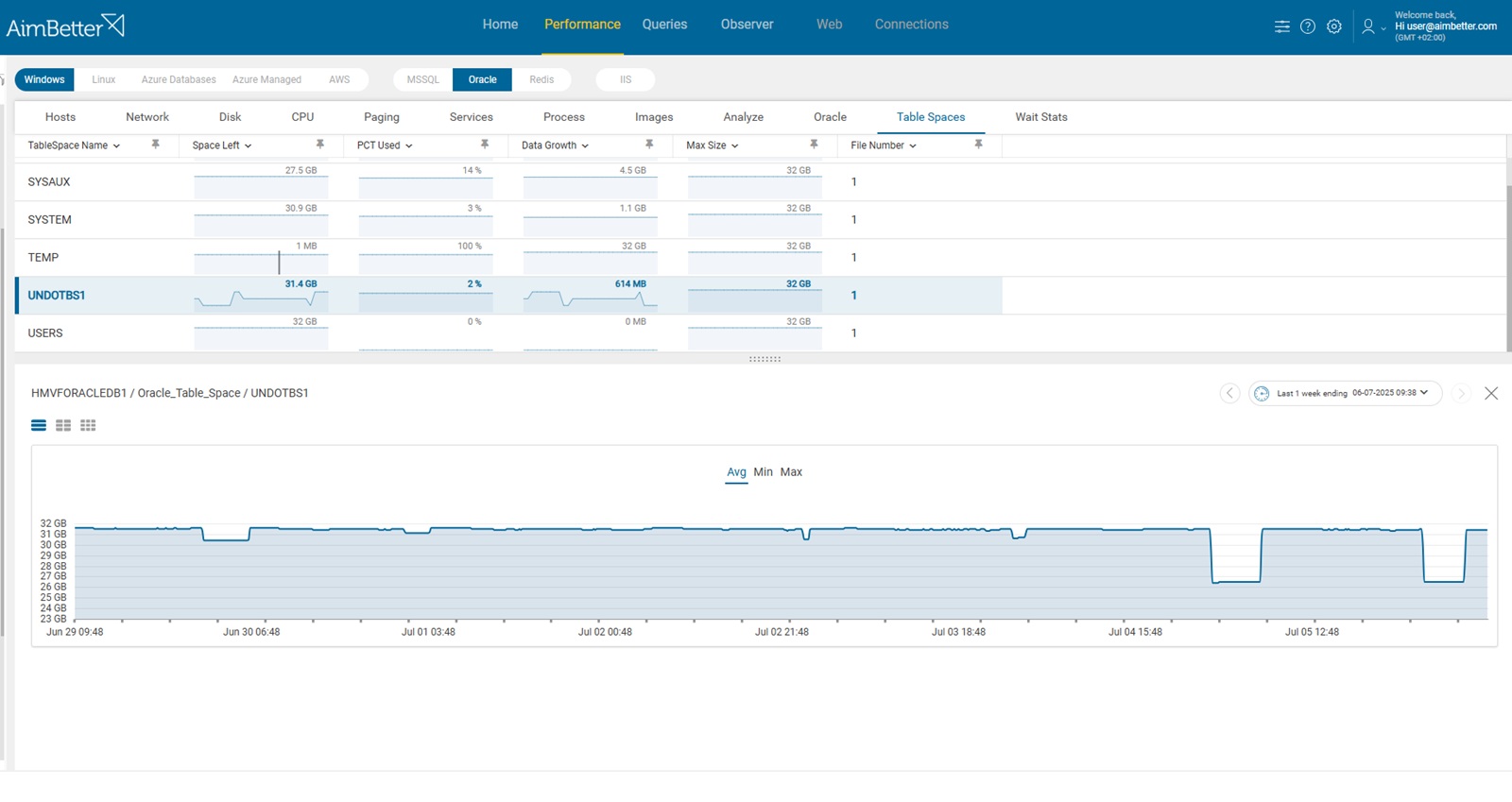
UNDO Tablespace
- Stores undo data for transactions and read consistency
- Usage fluctuates based on transaction volume
- Normal if it cycles usage and supports workload
- Problematic if it leads to “snapshot too old” errors or cannot extend
Possible causes
1. Rapid Data Growth
The database is ingesting or generating data faster than expected, resulting in the rapid consumption of the tablespace capacity.
Problem identification:
Identify an increase in the data growth rate and a decrease in the tablespace available space.
- Query DBA_DATA_FILES to check current usage and space left.
- Review historical data insert rates manually from application logs.
- Monitor disk space at OS level to detect abnormal increases.
- Manually inspect growth trends using DBA_HIST_SEG_STAT.
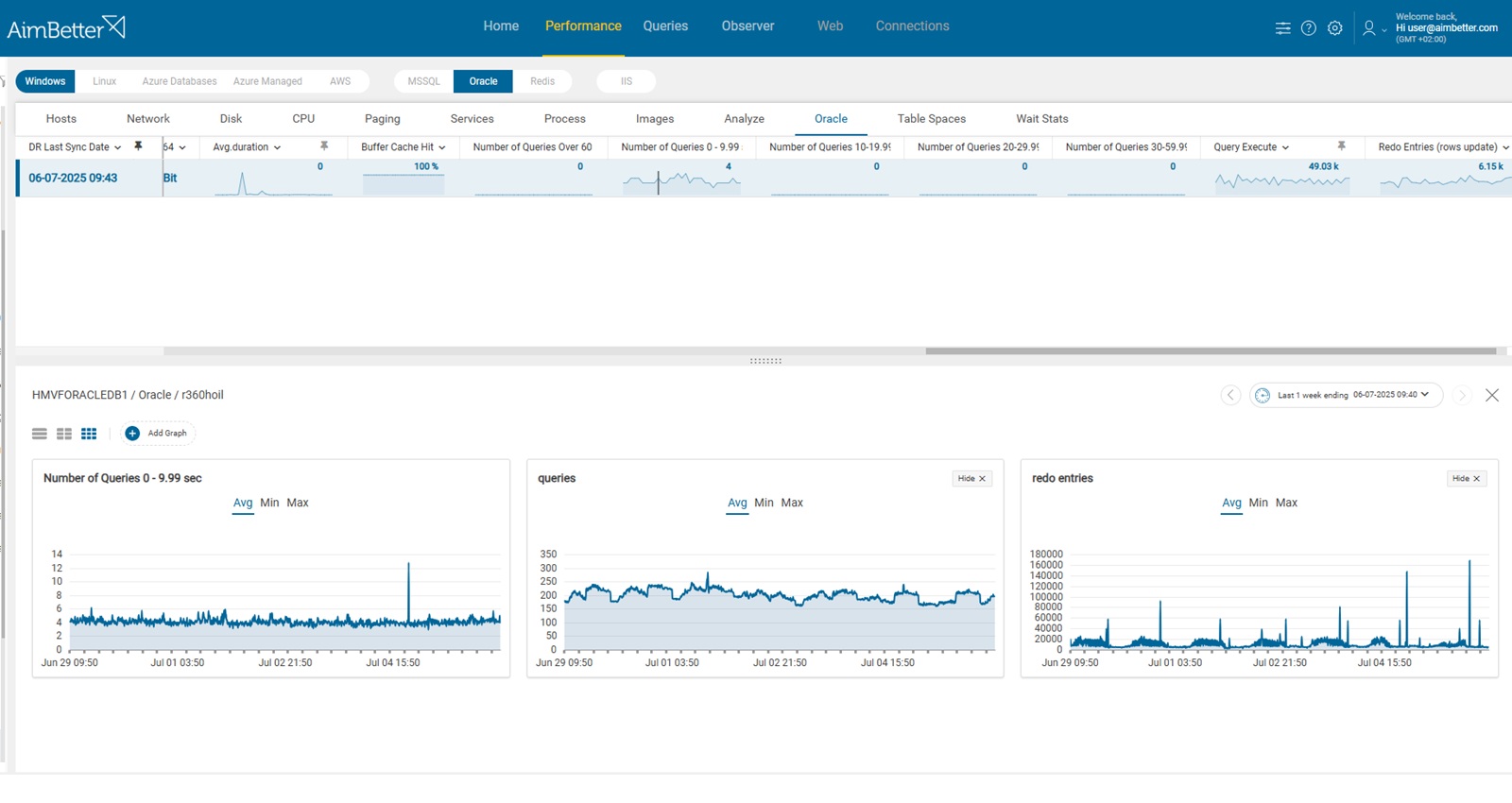
AimBetter provides historical Data Growth trends and current PCT Used, helping you spot unusual usage spikes. You can instantly compare recent growth against baselines and correlate with the average number of concurrent queries, redo entries, and query execution metrics to understand what caused the surge.
Recommended action :
- Forecast future growth and pre-allocate space ahead of time.
- Archive or purge old data not needed for active workloads.
- Use partitioning to isolate fast-growing data areas.
2. Autoextend Disabled or Max Size Reached
Tablespace cannot grow because autoextend is off or the max size limit has been reached.
Problem identification:
Tablespace usage is stuck near 100%, and Datafiles are not growing.
- Query
DBA_DATA_FILES - Check
AUTOEXTENSIBLEcolumn - Review
MAXBYTESvsBYTES - Identify files that reached max size

Recommended action :
- Enable autoextend
- Increase max size
- Add new datafiles
3. Temporary Space Pressure (TEMP Tablespace)
Heavy queries (sorting, hashing) consume large temporary space.
Problem identification:
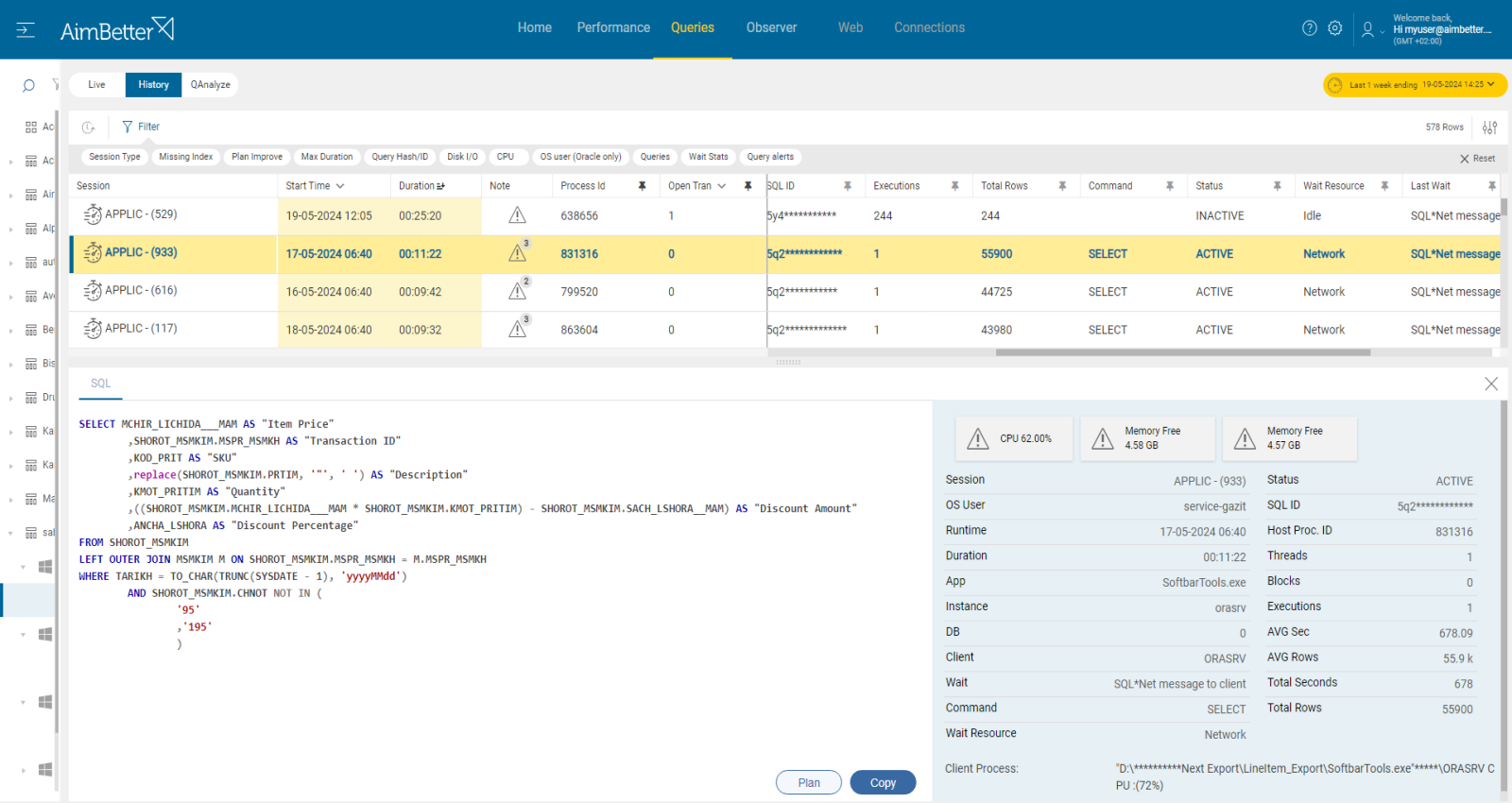
Sudden spikes in TEMP usage correlate with long-running queries.
- Query
V$TEMPSEG_USAGE - Identify active sessions using TEMP
- Check SQL statements causing usage
- Monitor session duration
Recommended action :
- Optimize heavy queries
- Increase TEMP size if needed
- Use proper indexing and execution plans