Real-Time Problem Solving

Root cause detection 24/7

Database Issues? Stop Guessing.

From performance slowdowns and application crashes to data loss and security risks ― identify the exact cause and how to fix it in real time.
Requiring no DBA expertise, AimBetter's intuitive dashboards enable IT professionals to efficiently identify the root causes of database system issues, reducing 80% of the DBA expert's workload and allowing them to focus on faster resolution and optimization.

Click on the image below to take a short tour.

Follow the pointer and read the explanation at the bottom of the screen.

Login from any browser using your email and password. If SSO is enabled, entering your email is enough.
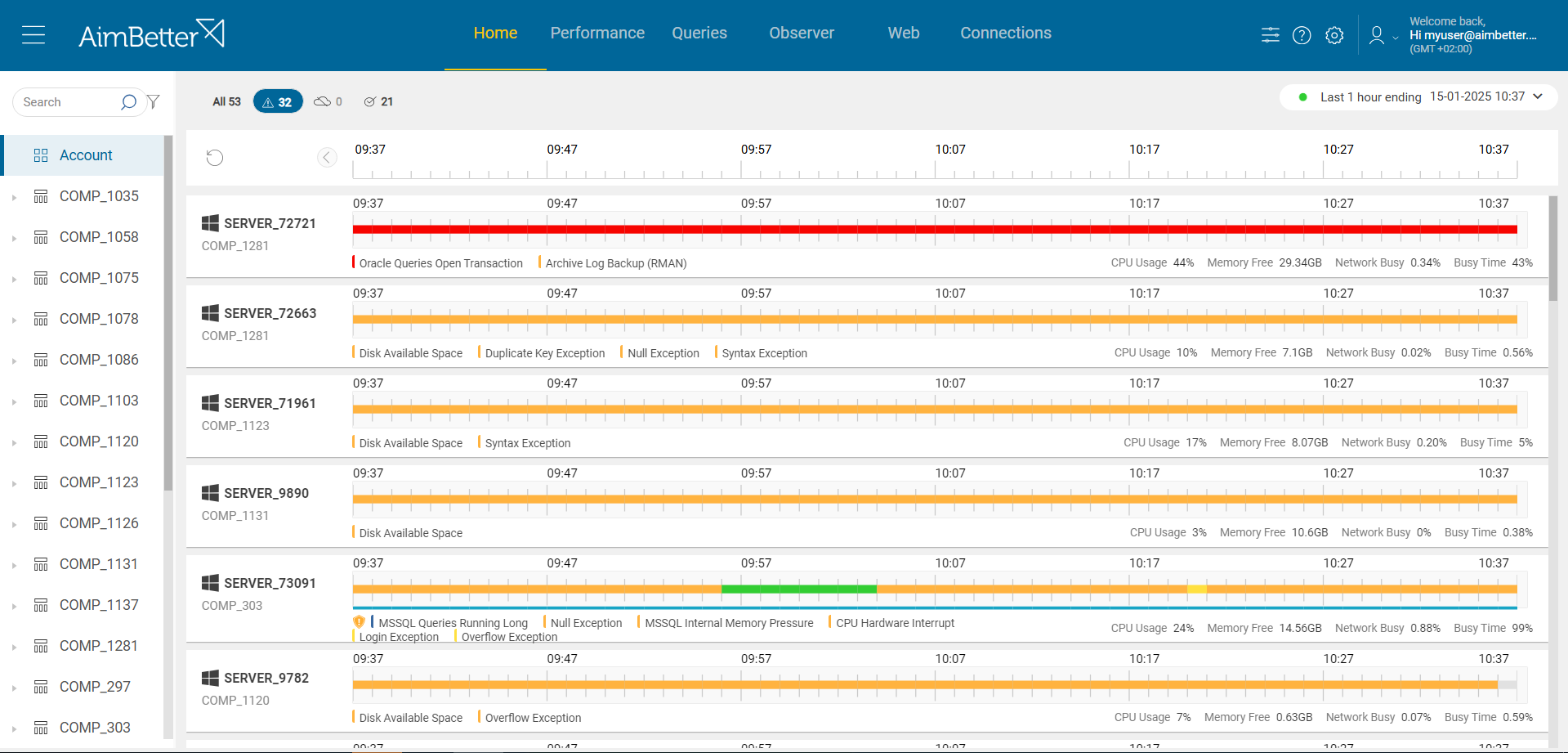
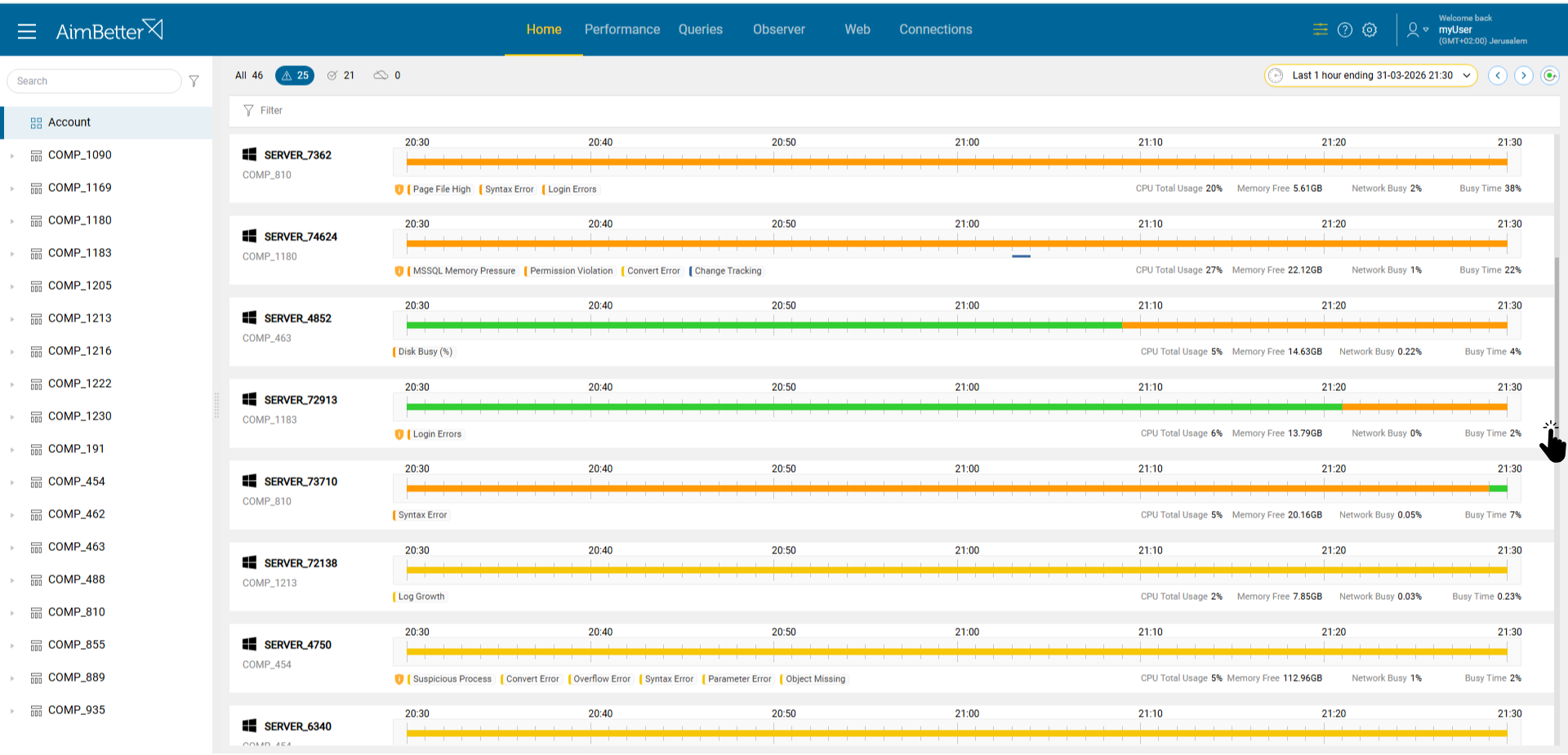
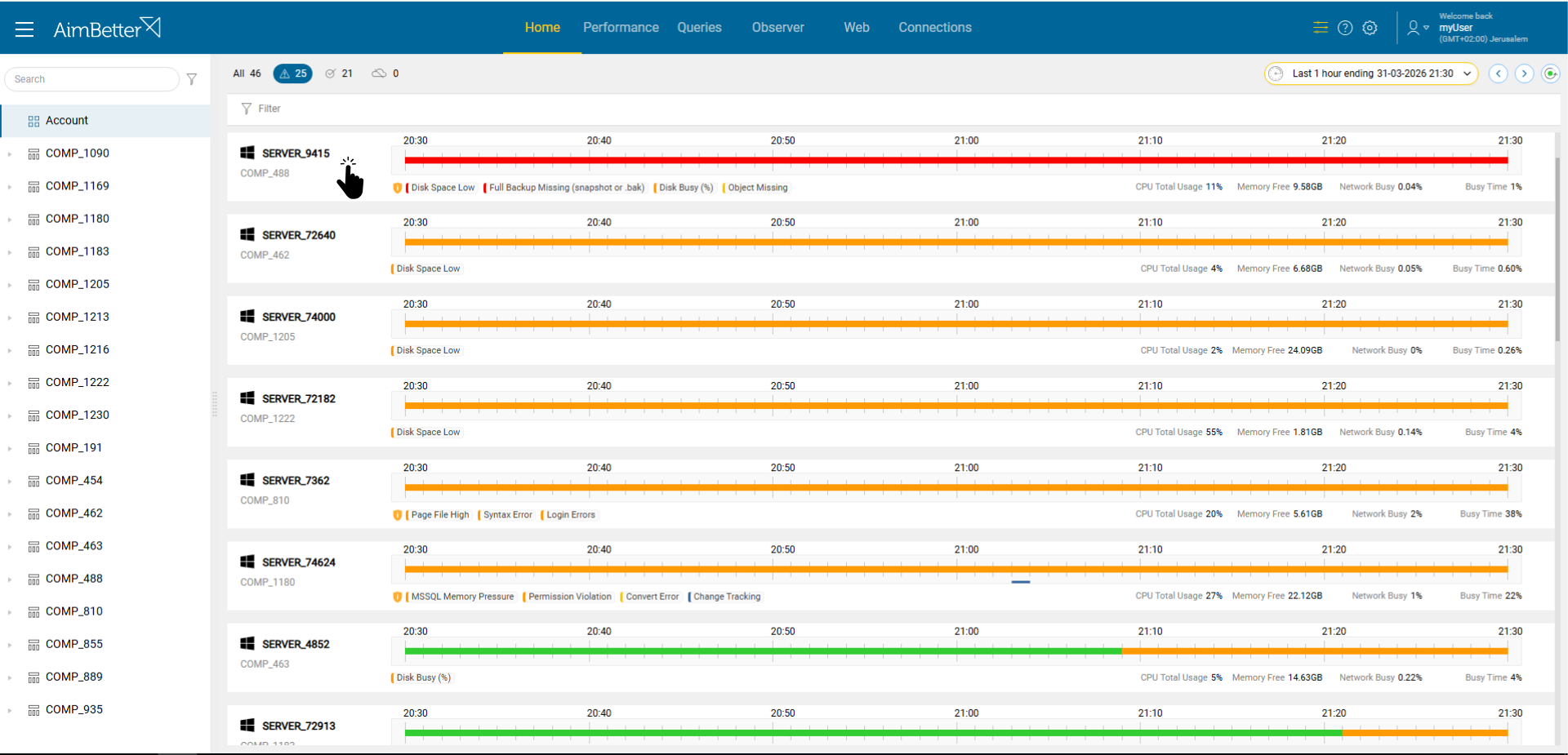
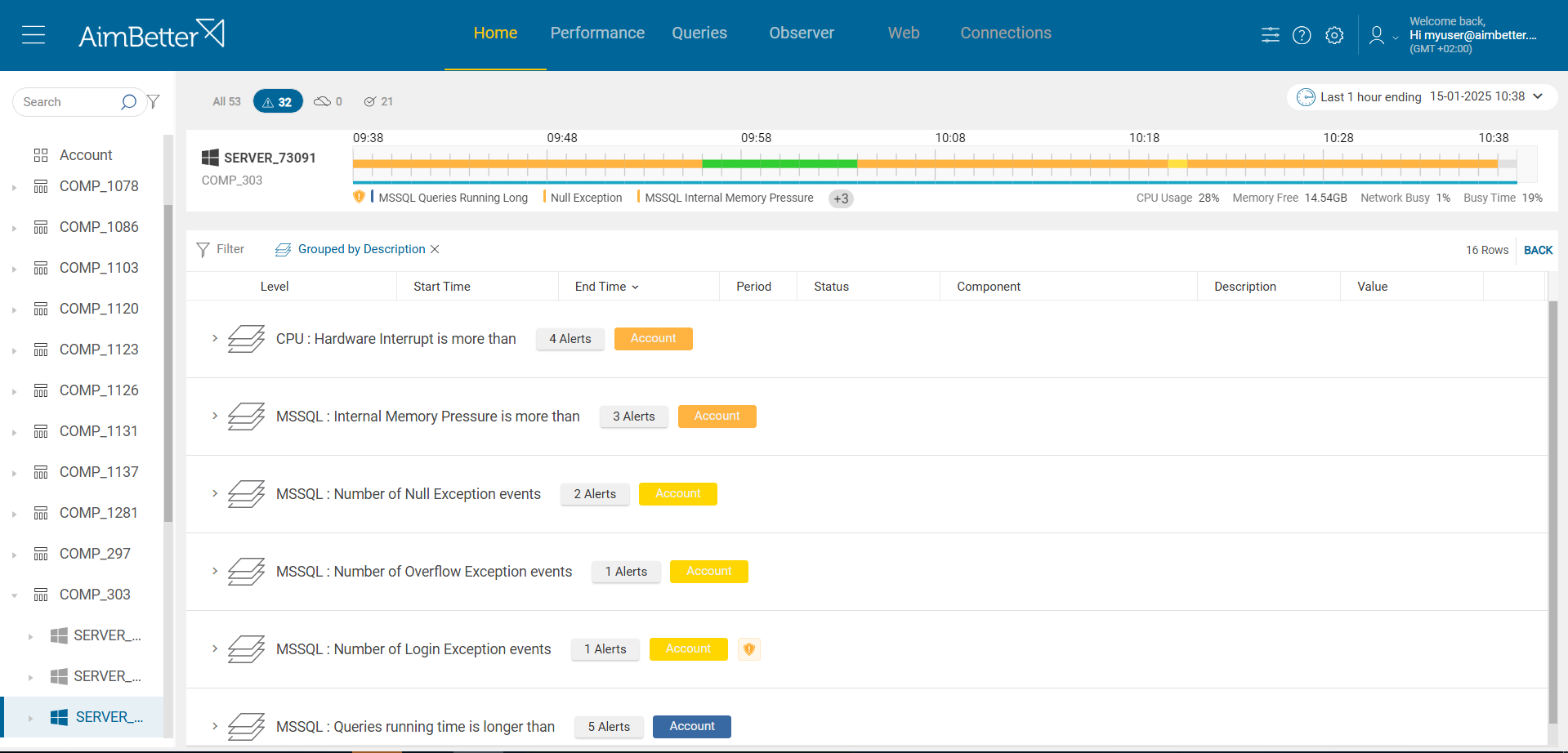
The Home dashboard provides a real time overview of all servers and their issues, organized by severity.
Red indicates high severity, orange medium, yellow low, and green means everything is OK.
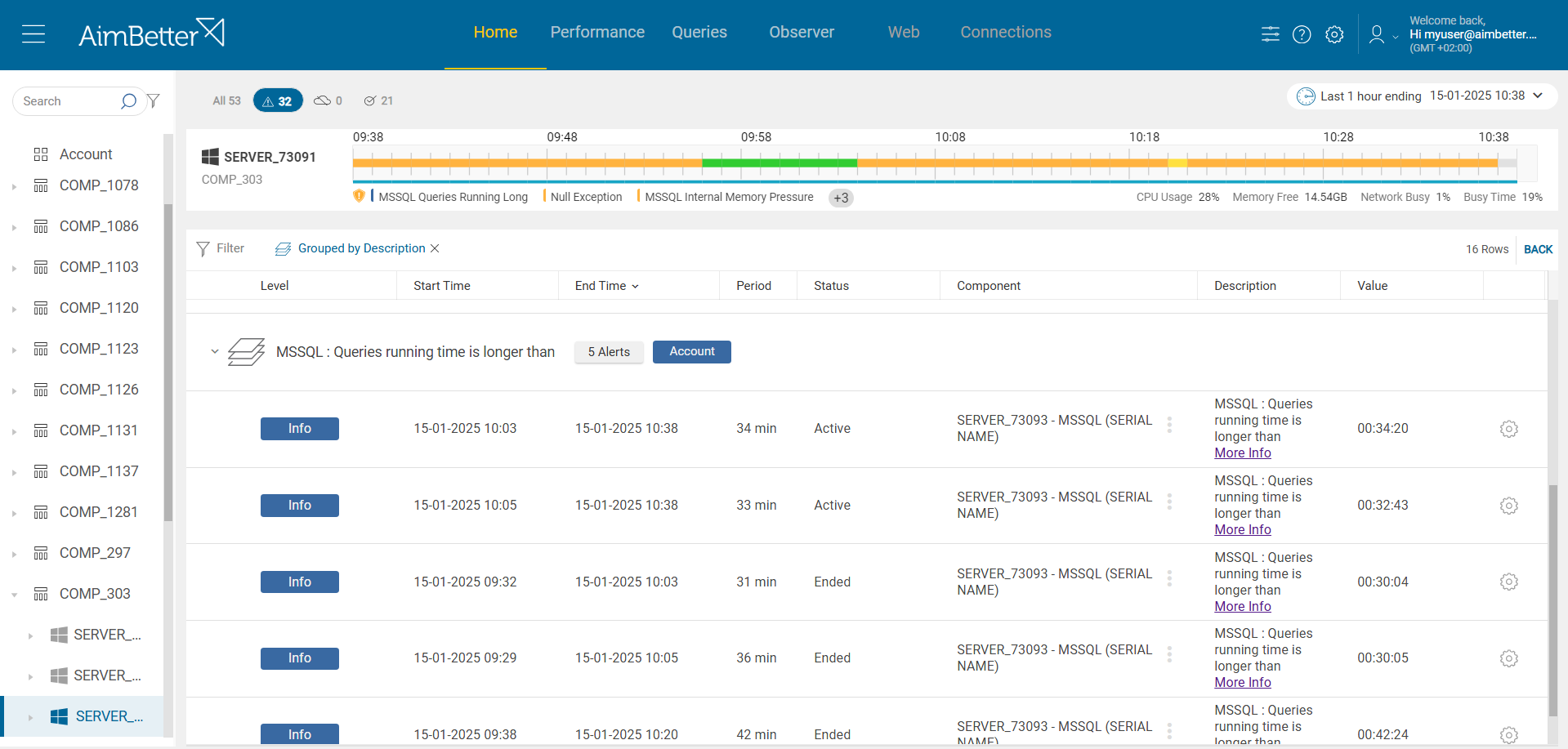
Click on a server’s bar to view more details about its alerts and activity.
Let’s focus on the Disk Space Low alert.
On the left side, you can see the number of alerts over the past month. On the right side, the graph shows disk space usage over time.
You can adjust the time range to analyze the data for different periods.
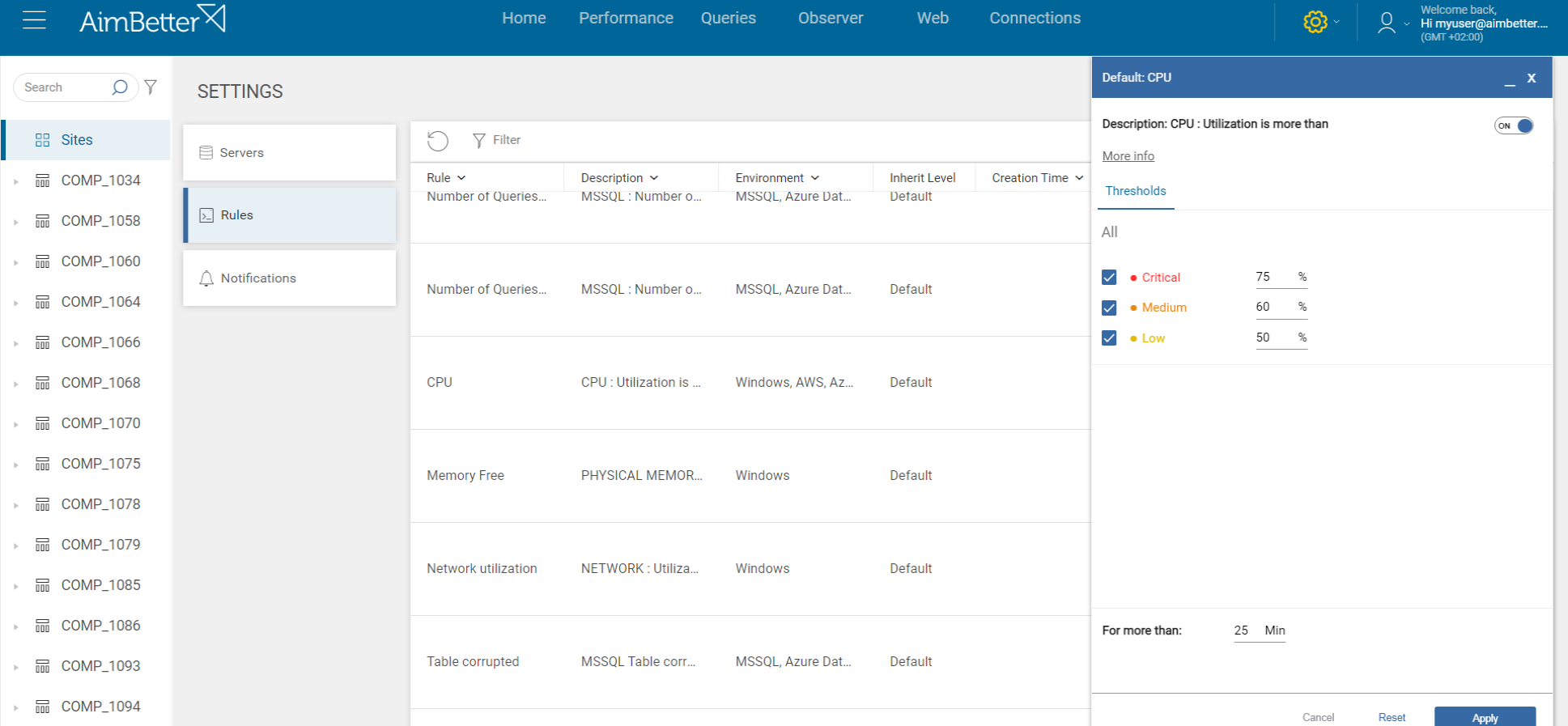
Open the Settings from the alert view to configure or edit the alert rules.
Here you can view the current thresholds and adjust them based on your needs.
Click the AI button to get an automated analysis of the alert.
View the AI analysis to understand the issue, possible causes, and recommended actions. Let's proceed to the Performance tab.
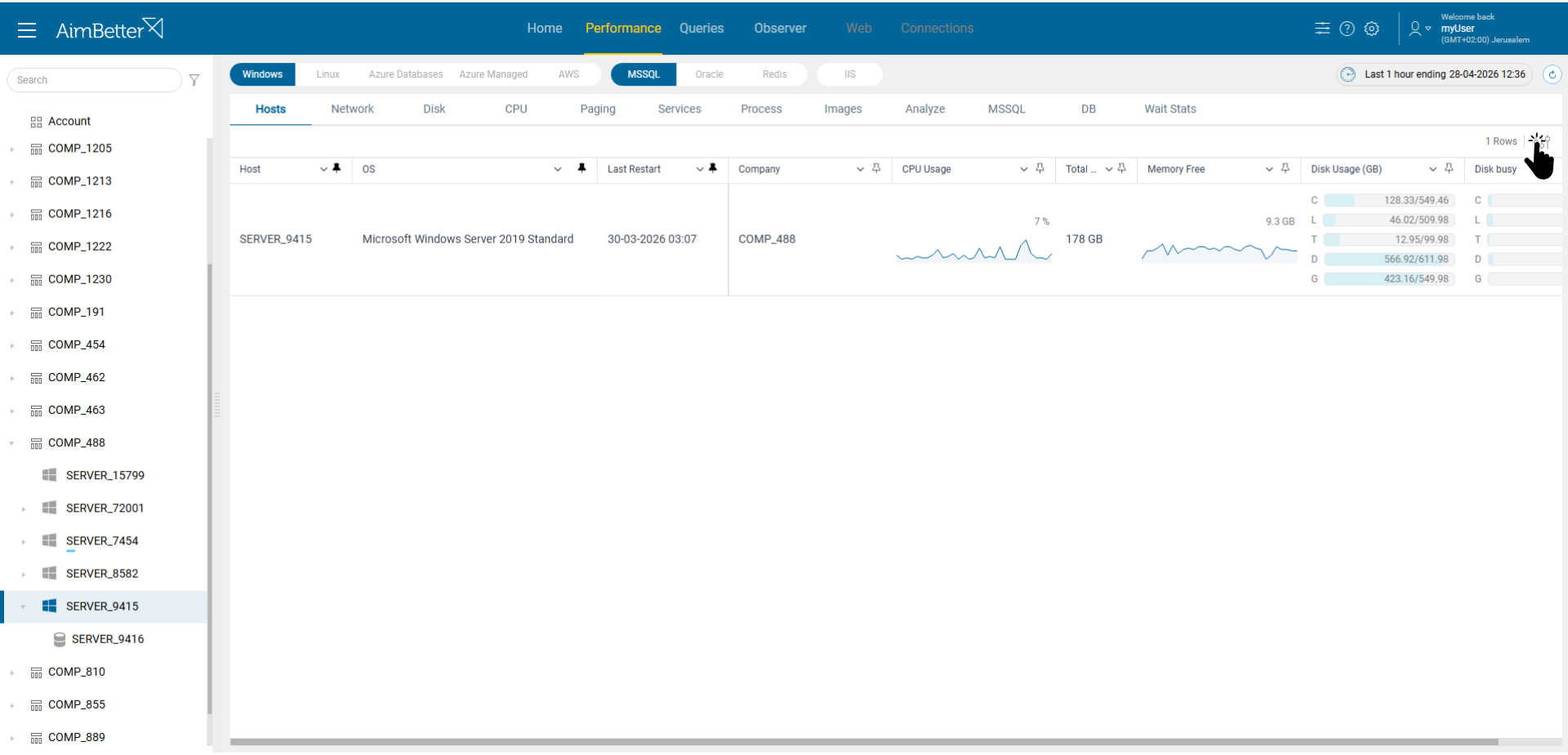
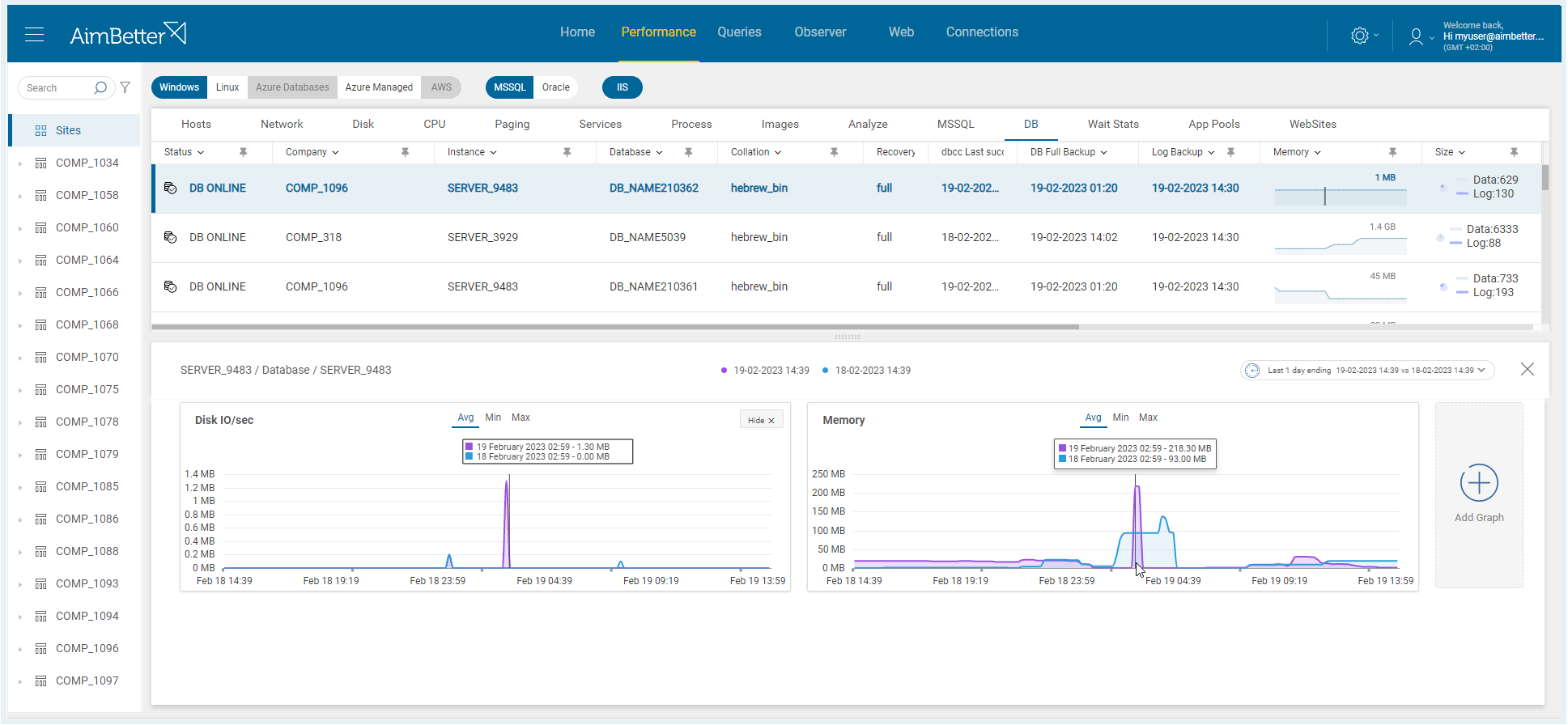
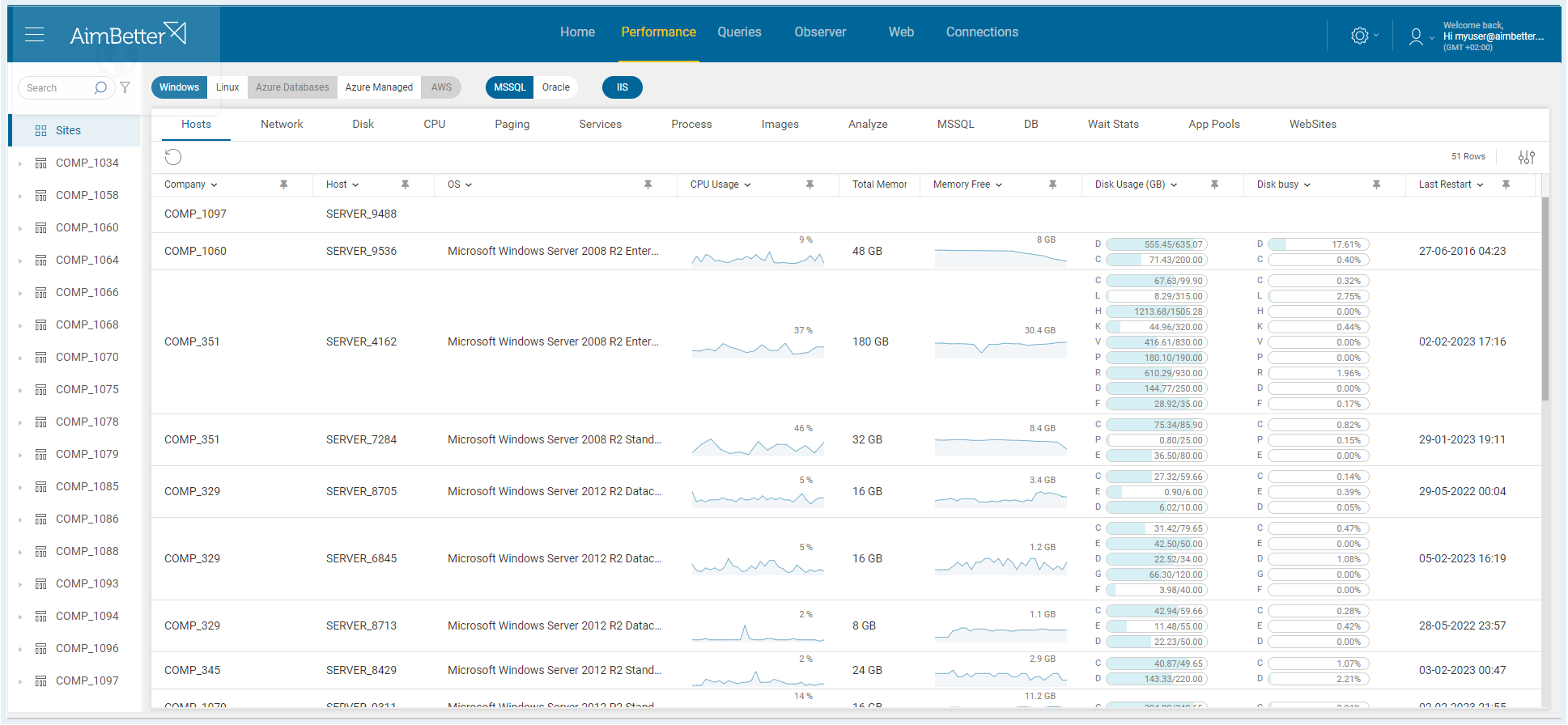
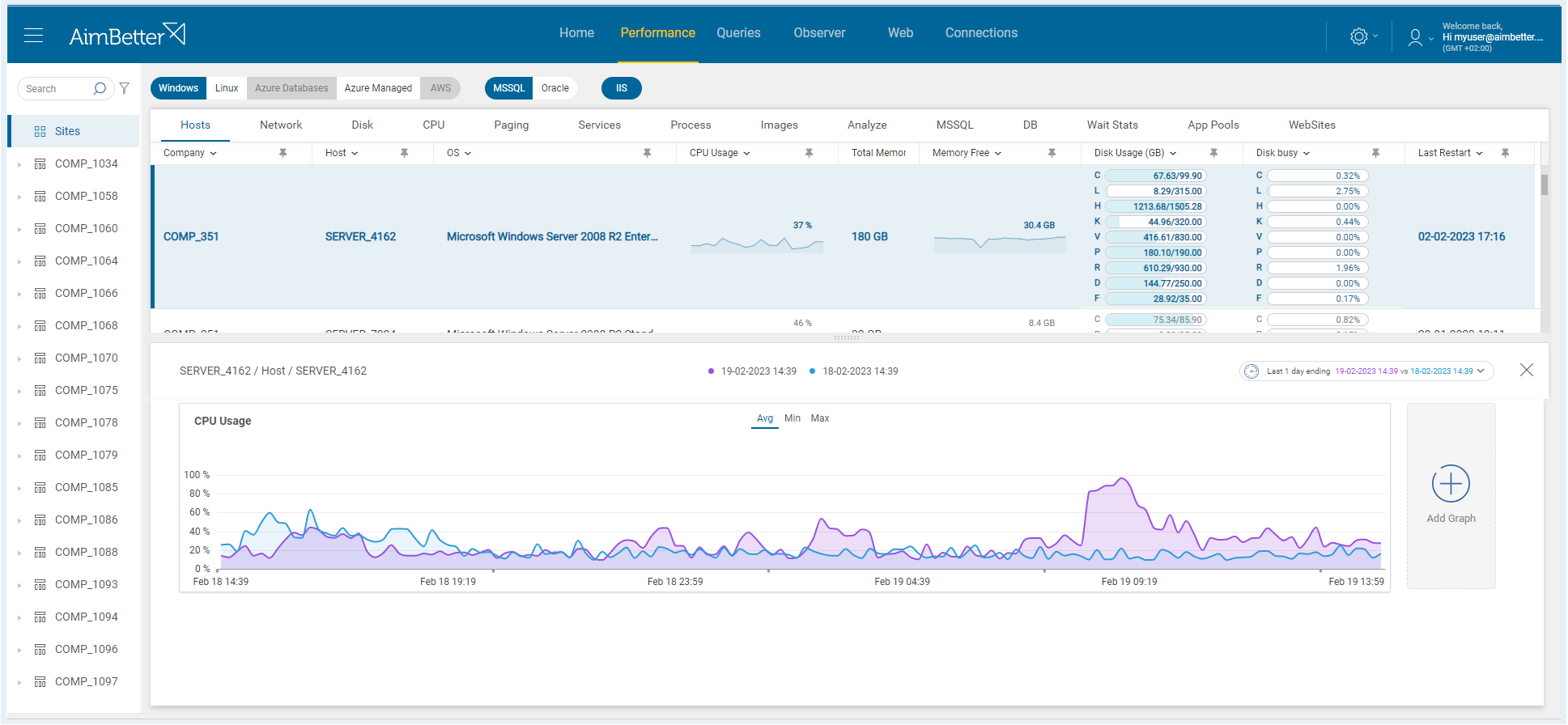
The Performance tab provides a wide range of metrics for both the operating system and the database.
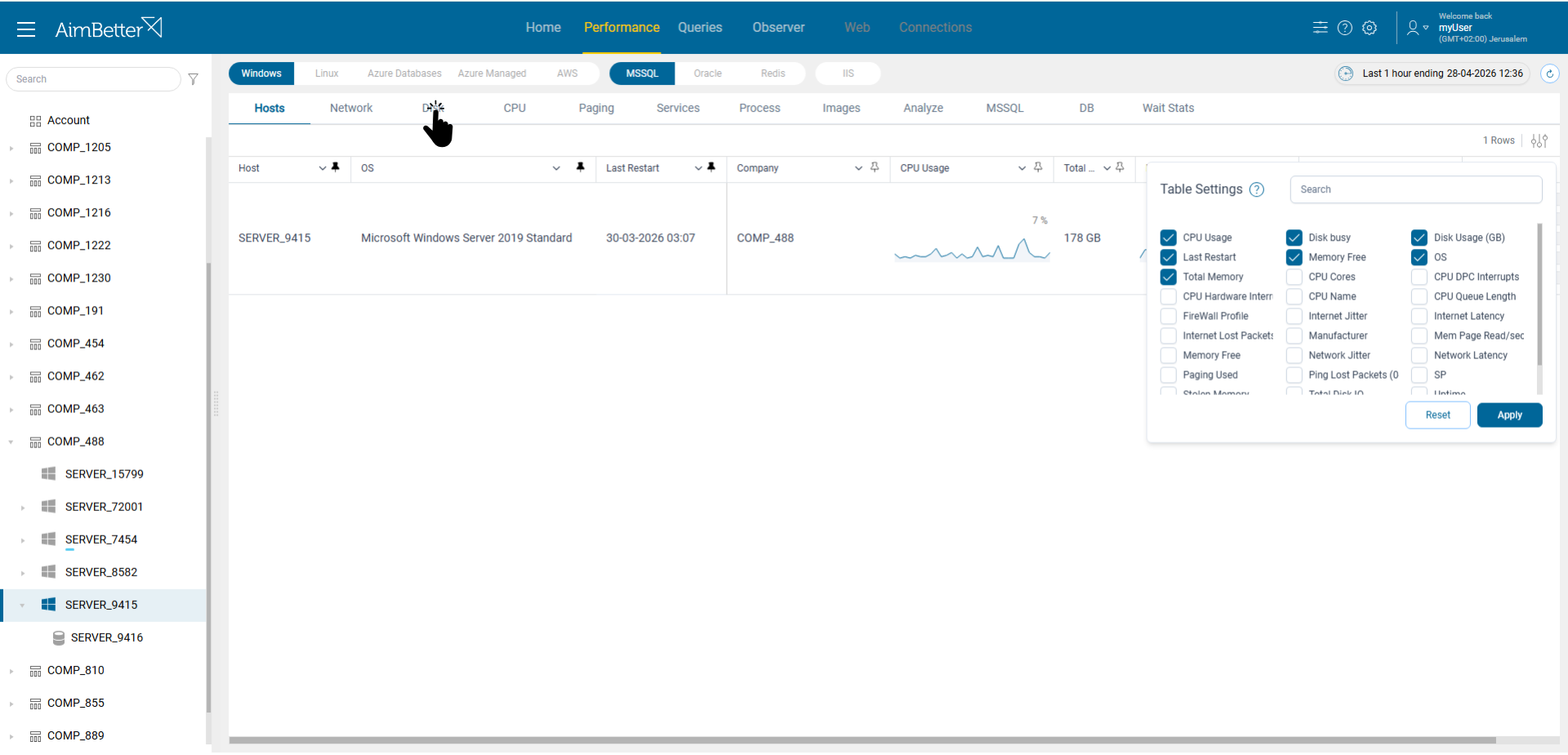
There are over 400 available metrics, and you can customize the view as needed. Let’s move to the Disk tab.
Here you can see all the disks and their key metrics. Let’s focus on drive G.
Here we can see multiple graphs for the selected disk, focused on the relevant time range. We can clearly identify spikes that match the time of the alert.
The Analyze tab helps correlate different metrics and understand what happened during a specific timeframe.
Now, let’s select the relevant time range.
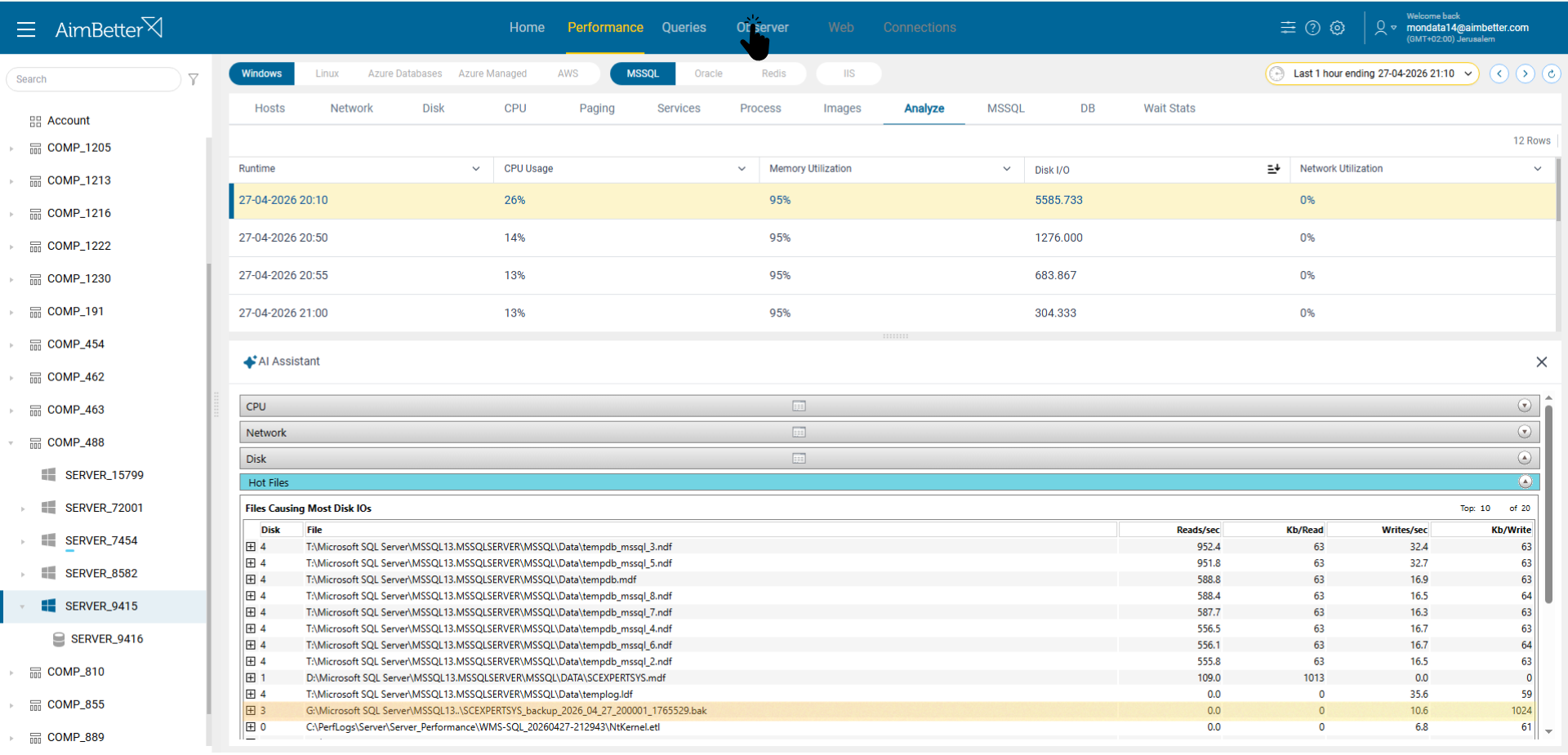
After sorting in descending order, we can clearly identify the highest disk activity during this timeframe.
By clicking on the row, we can drill down and analyze detailed metrics for the identified peak.
We can see that backup files are responsible for the high disk activity.
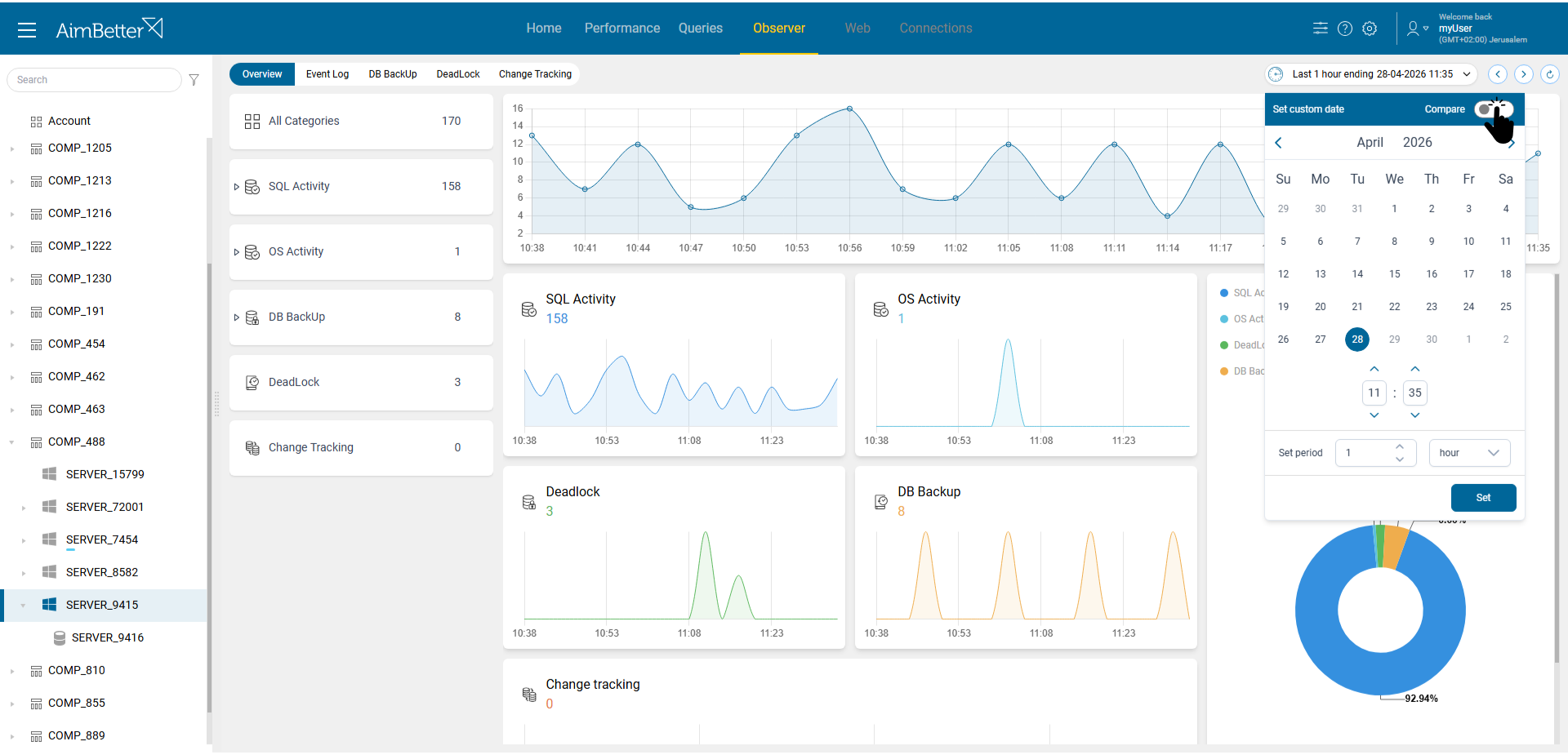
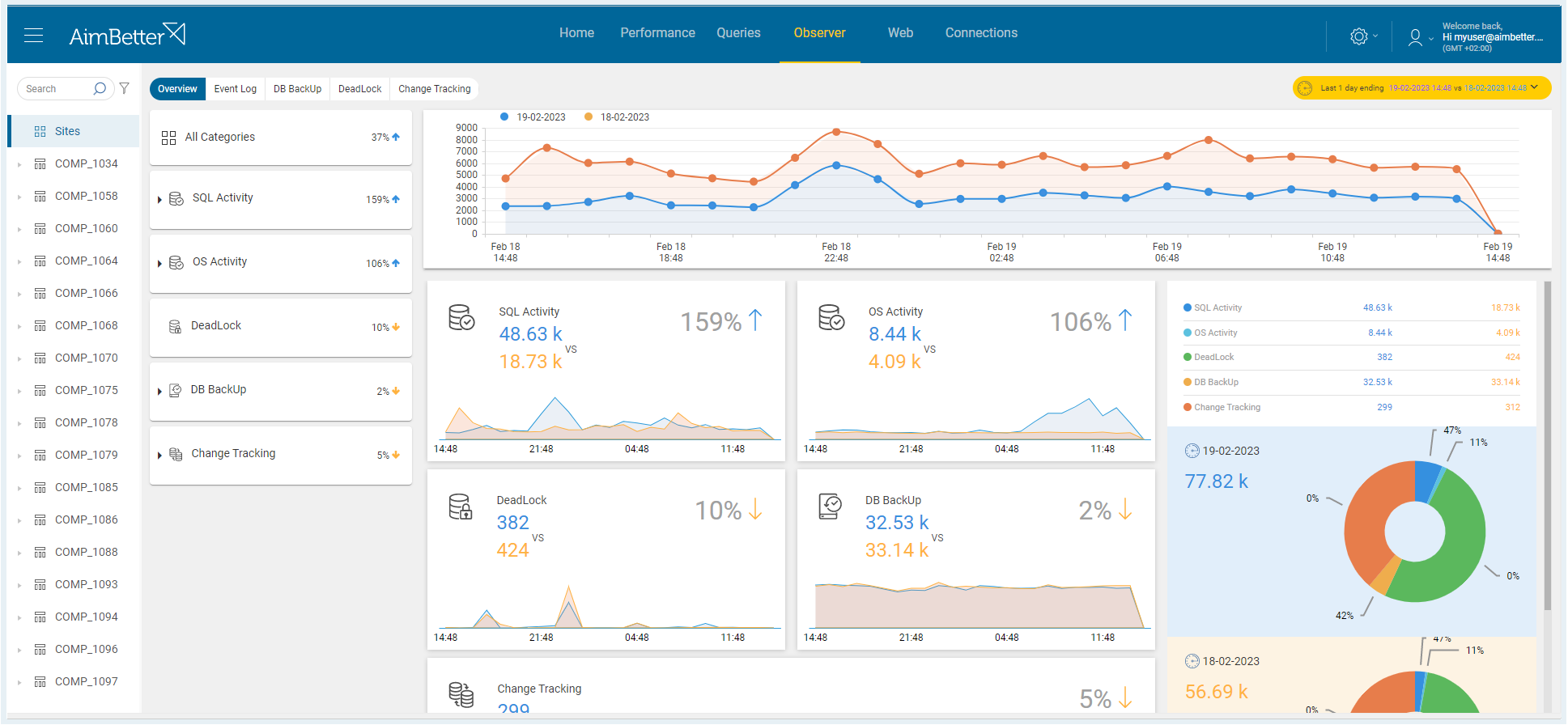
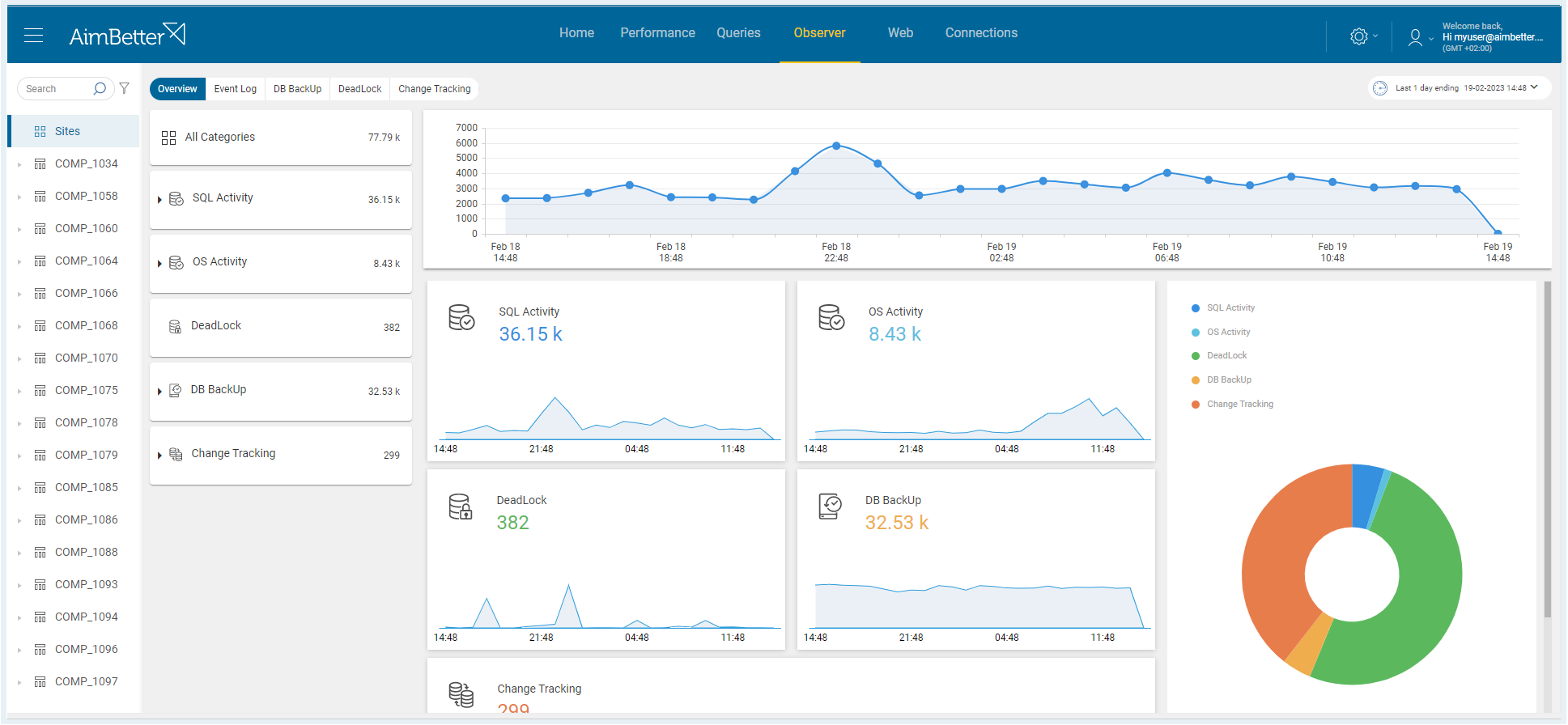
Let’s move to the Observer tab to get a broader view of system activity. Here we can correlate different events over time.
We can use the Compare option to analyze changes over time.
This allows us to compare different time periods and identify changes in system activity.
To verify the source of the activity, let’s move to the DB Backup tab.
Here we can clearly see that backups were written to drive G at the same time as the spike. This confirms that the backup activity caused the high disk usage.

Features

null
Real-time 24/7 Diagnosis
Automatic 24/7 diagnosis, sending alerts before users feel the problem or affect the company’s performance.
null
SAAS Cloud-based
Data and analytics are stored in our cloud, so it does not load the client’s system.
null
Security and Data protection
Enables detection of different security threats and their exact source in a short time adding to the company’s protection tools.
null
Small and quick installation
One light installation for all the servers in the same domain (“agentless”).
null
Via Web browser & Mobile app
Get access and be notified from anywhere, opening as many tabs as you want to see different views simultaneously.
null
Proprietary AI
Artificial Intelligence developed to execute automatic DBA tasks.
null
Friendly and intuitive UI
Unique structured UI to provide the best user experience and optimal view with multiple graphs and more than 400 metrics.
null
Holistic view
Overview of the whole database environment with all its elements in the different layers. Hardware, System, Network, Applications, Exceptions, Queries, and Web traffic in one place.
null
Deep insight
Drill into the details whenever you need to understand better some specific issue, all in the same place. We pinpoint the issue and give you the tools to investigate deeply in just minutes.

TABS

HOME

All issues by severity

Quickly identify and address the most urgent cases.

Scroll over the bars and see the current challenges through labels beneath the status bars

Choose which servers to focus on by selecting the hierarchical layers (All, Company, Host, or Server)

Get details in seconds by clicking on the status bar

Understand all the SQL Server environment health through over 400 critical system metrics

Intuitive graphical display of metrics over time

Easily compare metrics during different periods

Investigate resource consumption going back to Logs at any desired time

Waiting stats analysis for a straightforward identification of the source of delays in the system
PERFORMANCE

+400 Built-in metrics and statistics

QUERIES

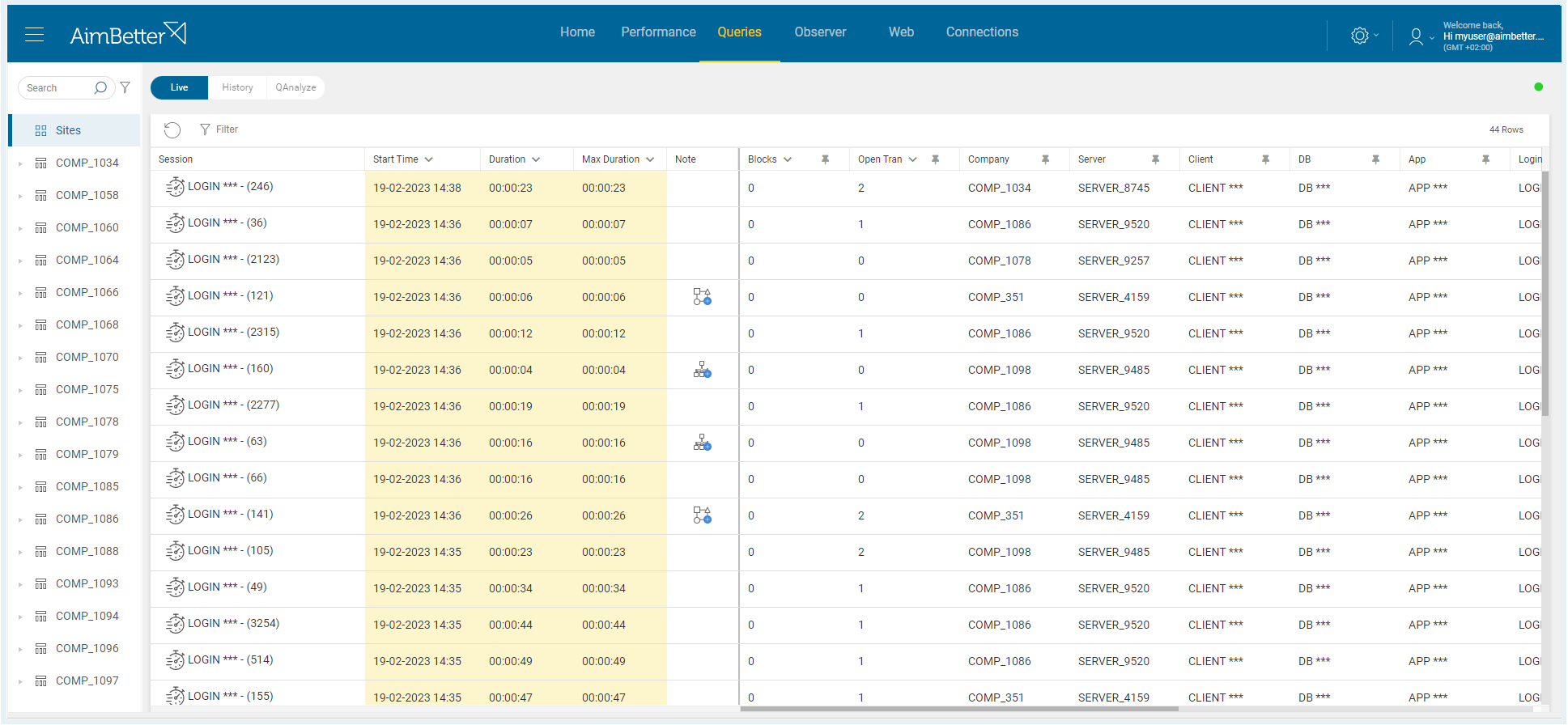
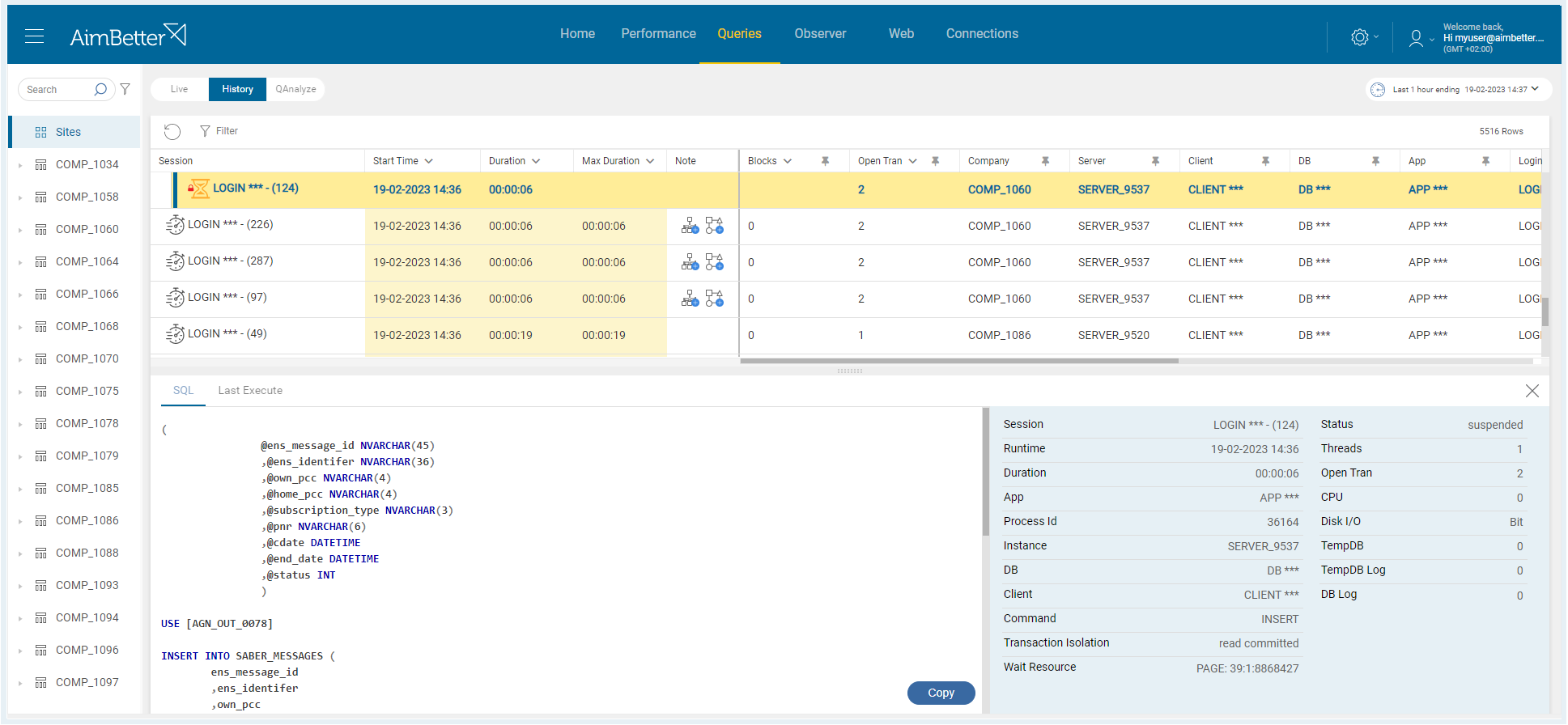
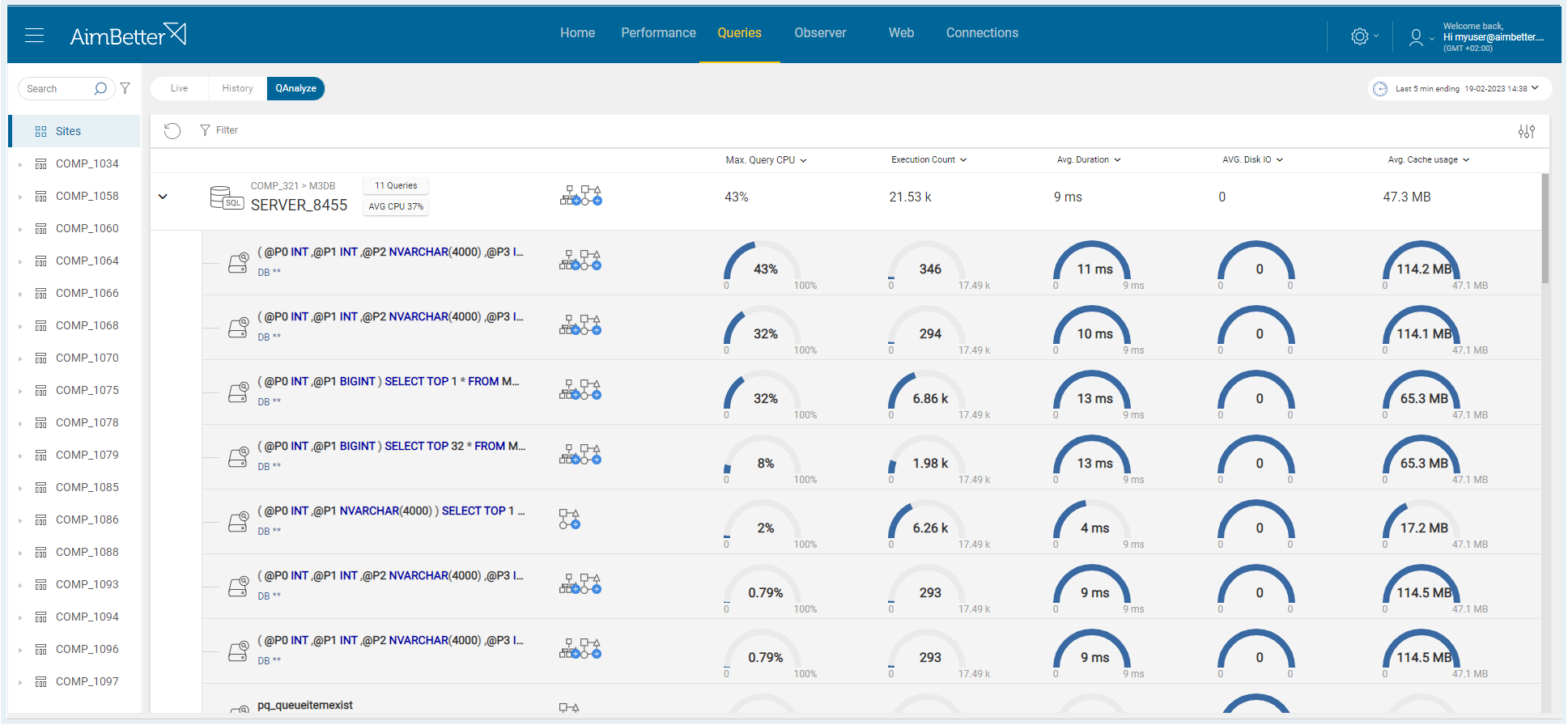
Database activity

Real-time comprehensive analysis of all queries

Identify blocking queries with users’ details

Multiple filtering options

Recommendation for missing index and plan improvement

Execution plan deep analysis

Resource usage analysis (CPU, memory, execution count, Disk I/O, and Cache).

Keep updated on any changes like software installation and updates, database creation, service status changes, and more

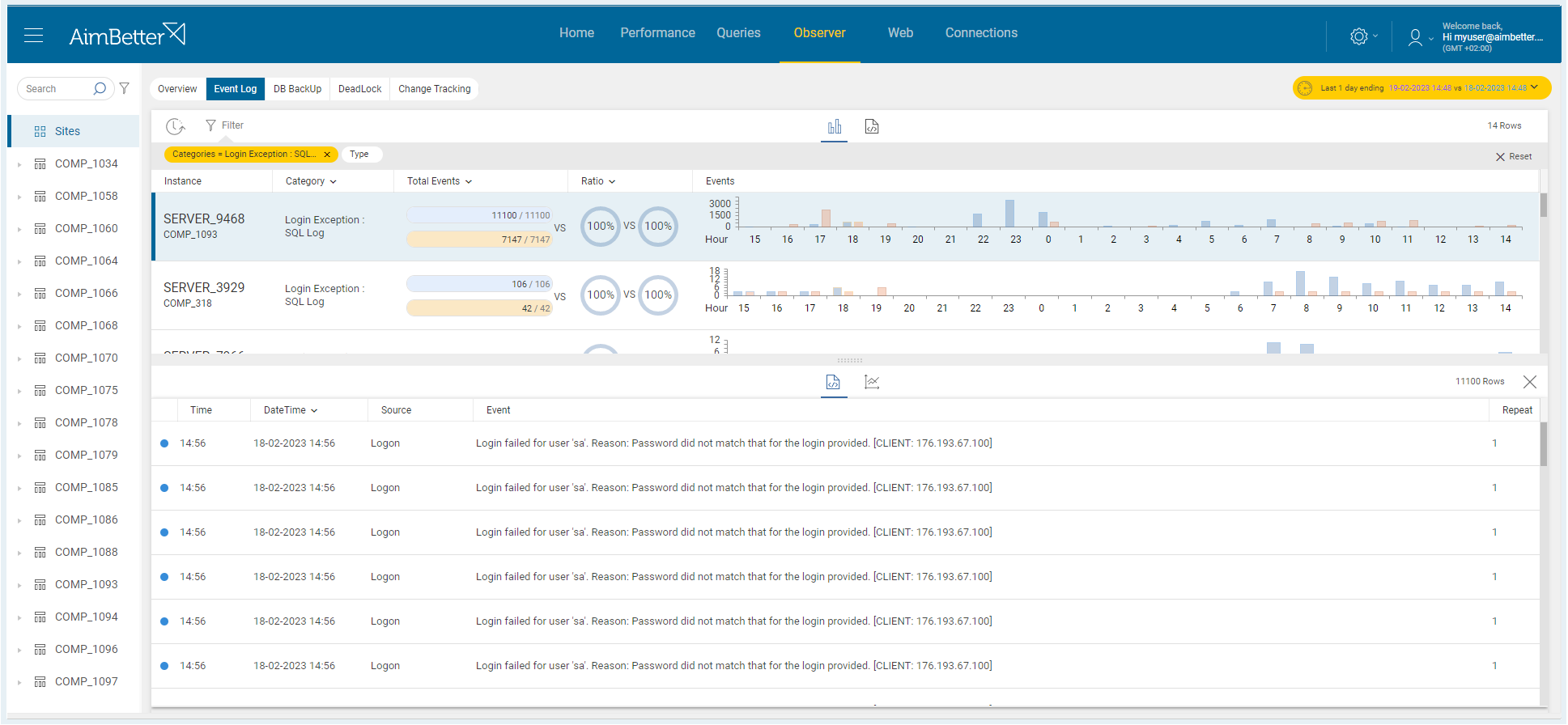
View all the exceptions in both OS and SQL levels with details of when they happened, who the user was, the application it originated from, and their description

Recognize abnormal behavior, such as login attempts, that may pose a serious security breach

Follow up easily on the Database backup initiatives and their proper execution.

Understand all the deadlocks causes and victims
OBSERVER

Events and changes easy tracking

WEB

Web server activity

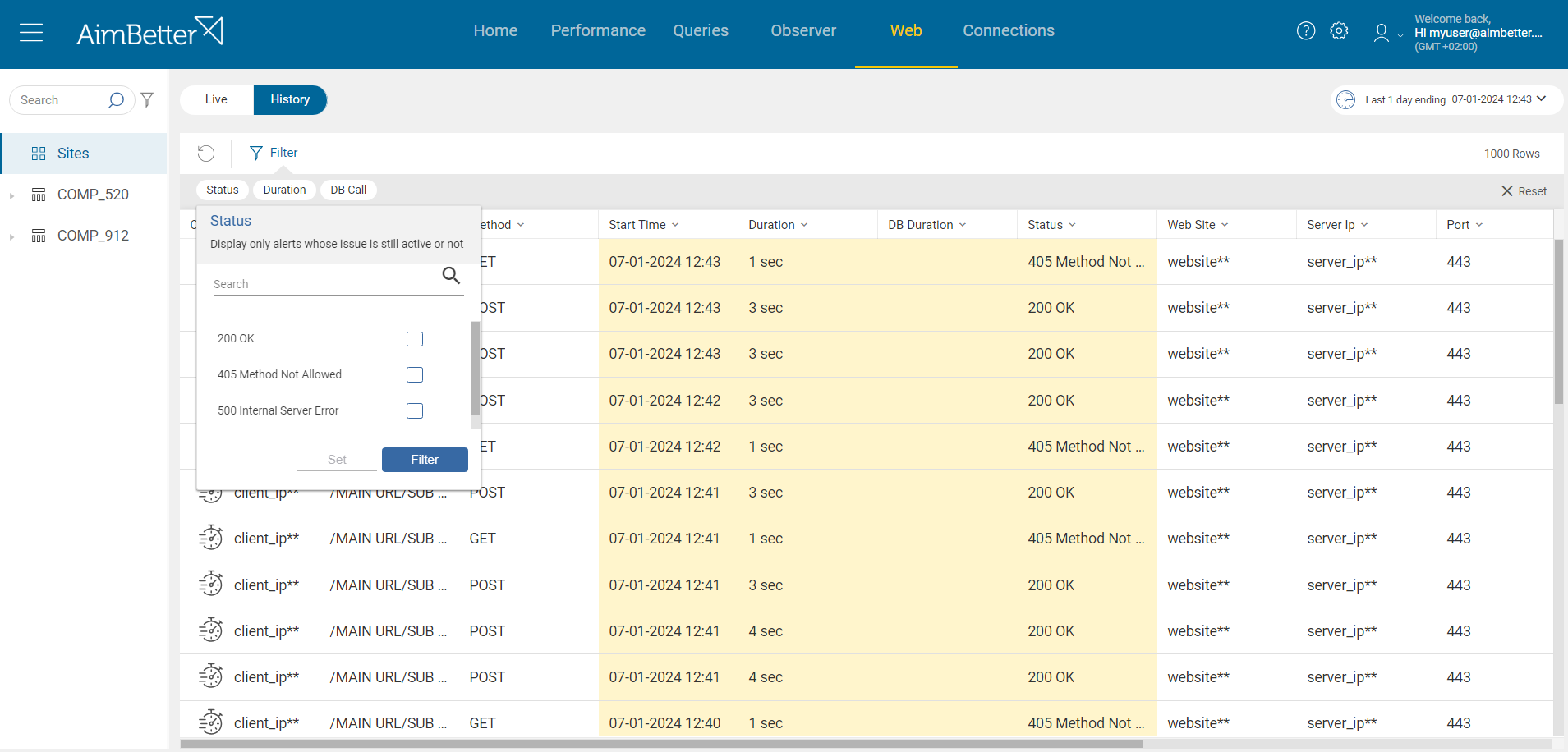
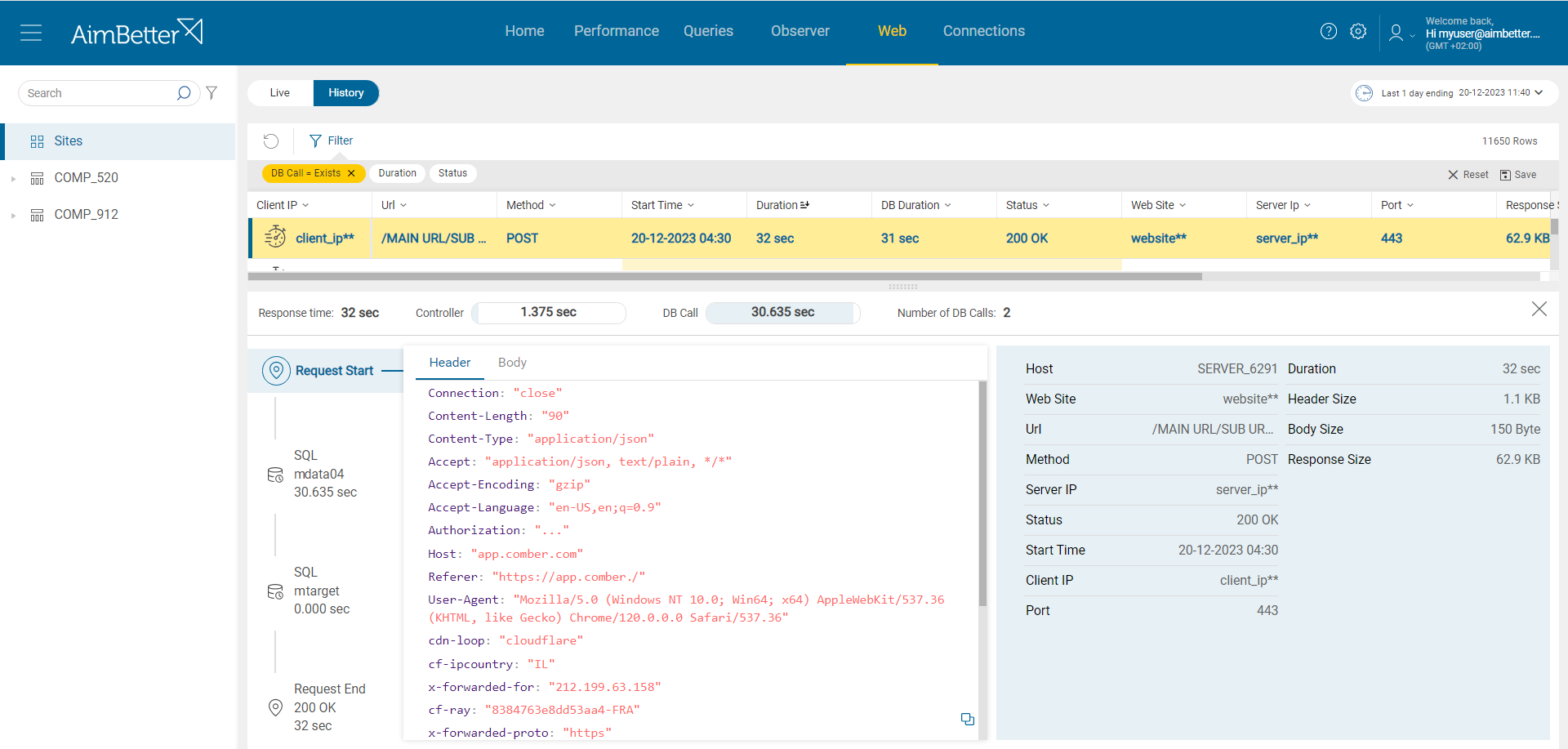
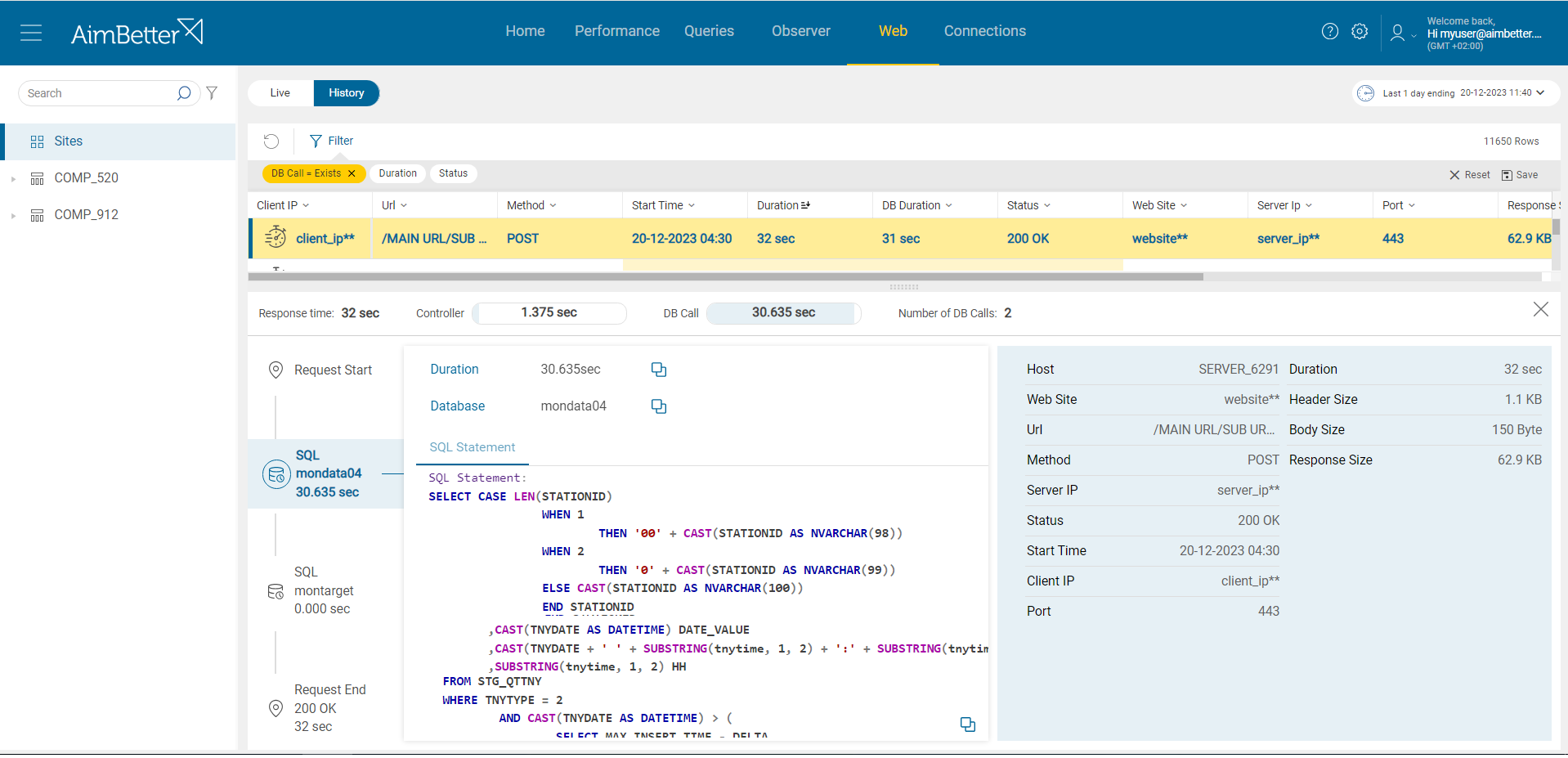
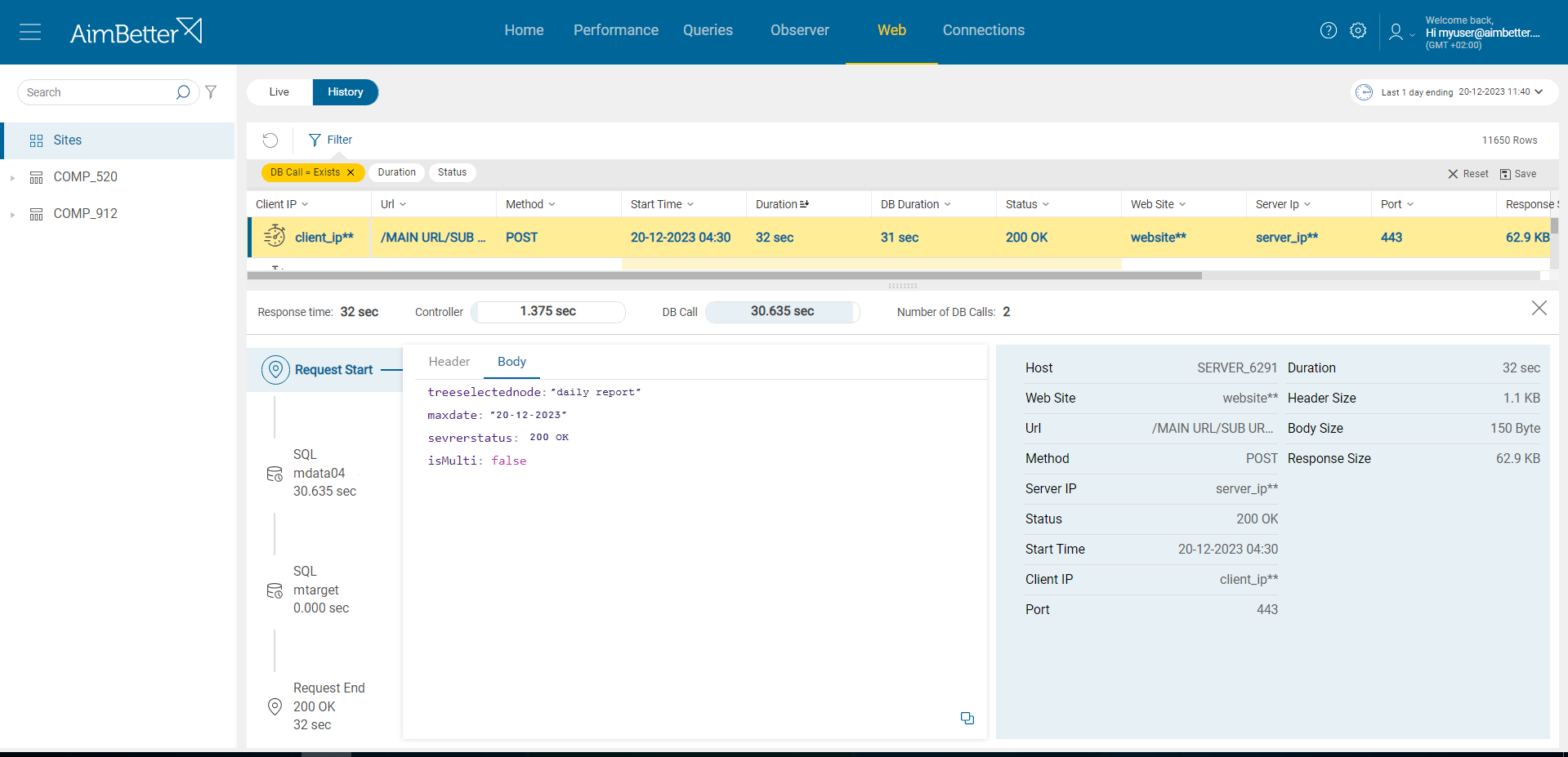
Real-time comprehensive analysis of all HTTP requests

Requests’ complete flow detailing the impact of different processes on the response time

Identification of requests issues, including users and application details

Multiple filtering options to focus on what matters most

Header and Body page parameters

Manage floating license by enabling/disabling Servers from monitoring

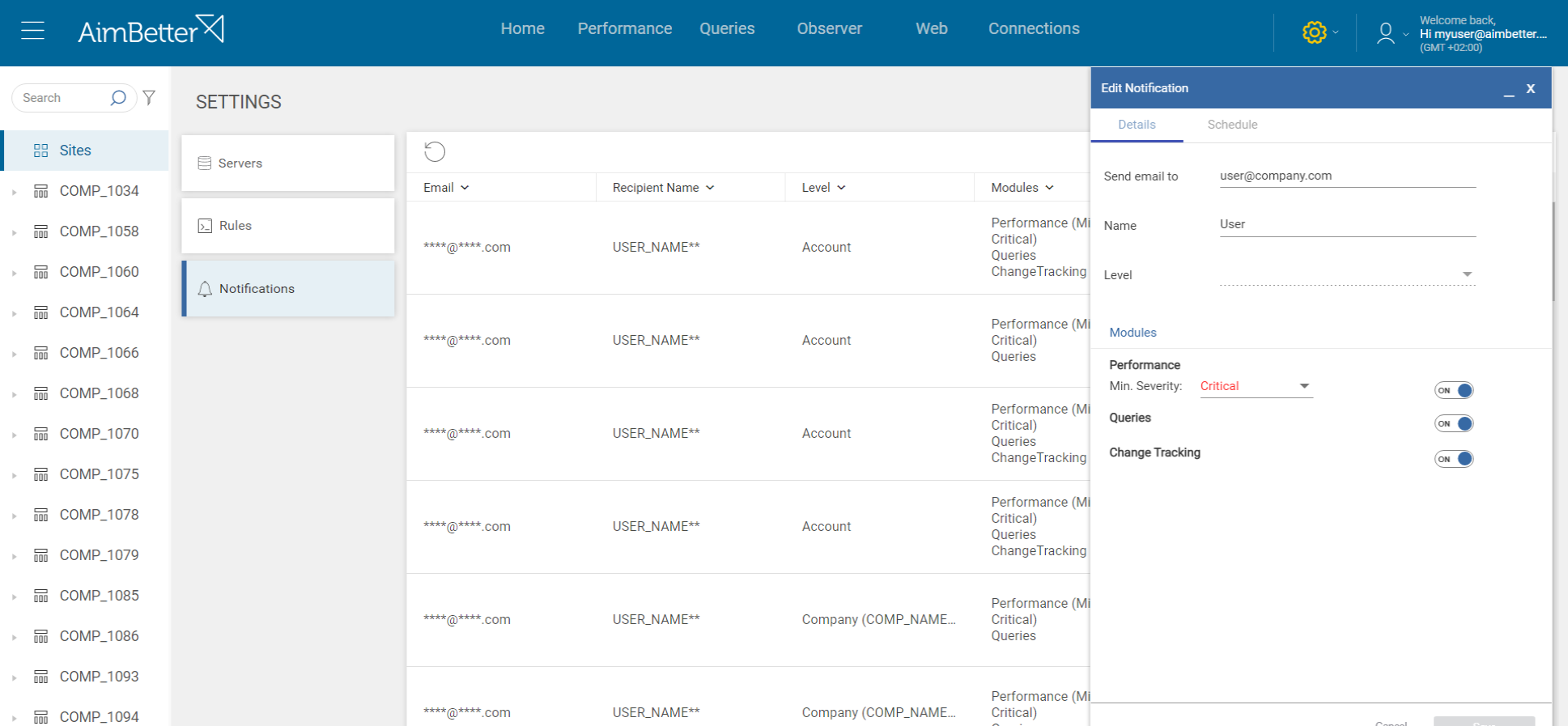
Customize which events will be notified

Edit and configure each alert severity threshold and other parameters

Set additional emails for notifications

Define Maintenance time to freeze email notifications for a determined period
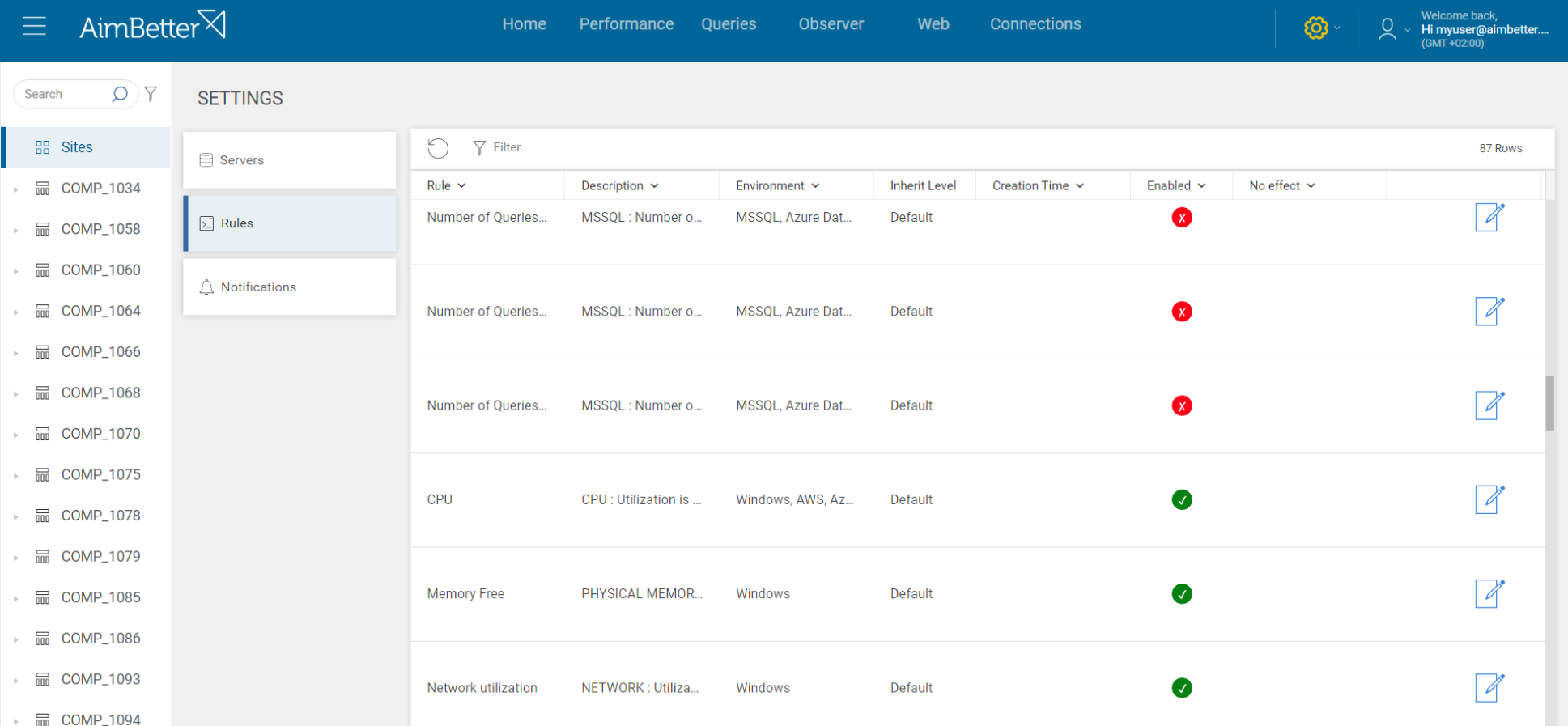
SETTINGS

Easy customization

AimBetter stands out for:

Real-Time Diagnosis

Sys-DB-App-Client Cross-information analysis

Pinpoints the root cause in real-time

Proactive smart notifications

Shortens the Troubleshooting time

ML continuous improvement

Automatically detects code, security, data loss issues, and much more

Powerful DBA Capabilities

Millions of queries/minute

Execution plan analysis and download

Plan improvement recommendations

Missing index suggestions

Top resource-consuming queries

Followup on DB growth and Backups for optimal maintenance

Seamless Integration

5-minute Installation

Friendly & Intuitive for all the IT Team

Ready to Use Solution

100% SaaS, no System Overhead

Hundreds of Built-in Metrics

Scalable, great for Enterprise and SMBs

Benefits

Productivity Enhancement


IT Professionals can focus on creative work

Smooth system performance

Management comprehensive view

Better IT Team Cooperation

Improved customer experience

Cost Savings

Save IT professionals time

Save on users’ efficiency

Save on downtime

Increase sales

Save on unnecessary infrastructure addition

Join leading companies that are using AimBetter

Menu
AimBetter We use cookies to ensure the website functions properly and improve user experience. You can choose which types of cookies to enable.
Cookie Selection

Skip to content