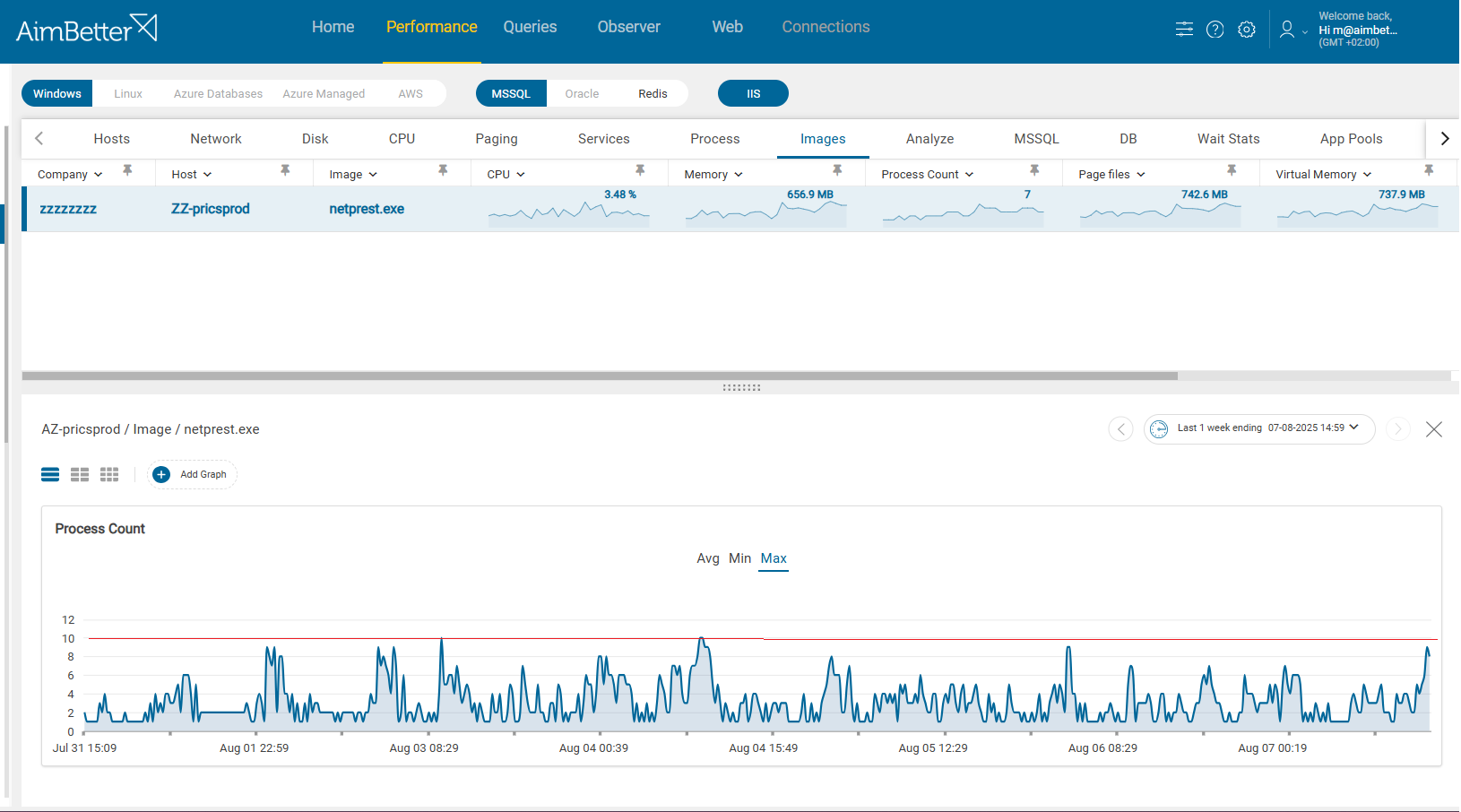
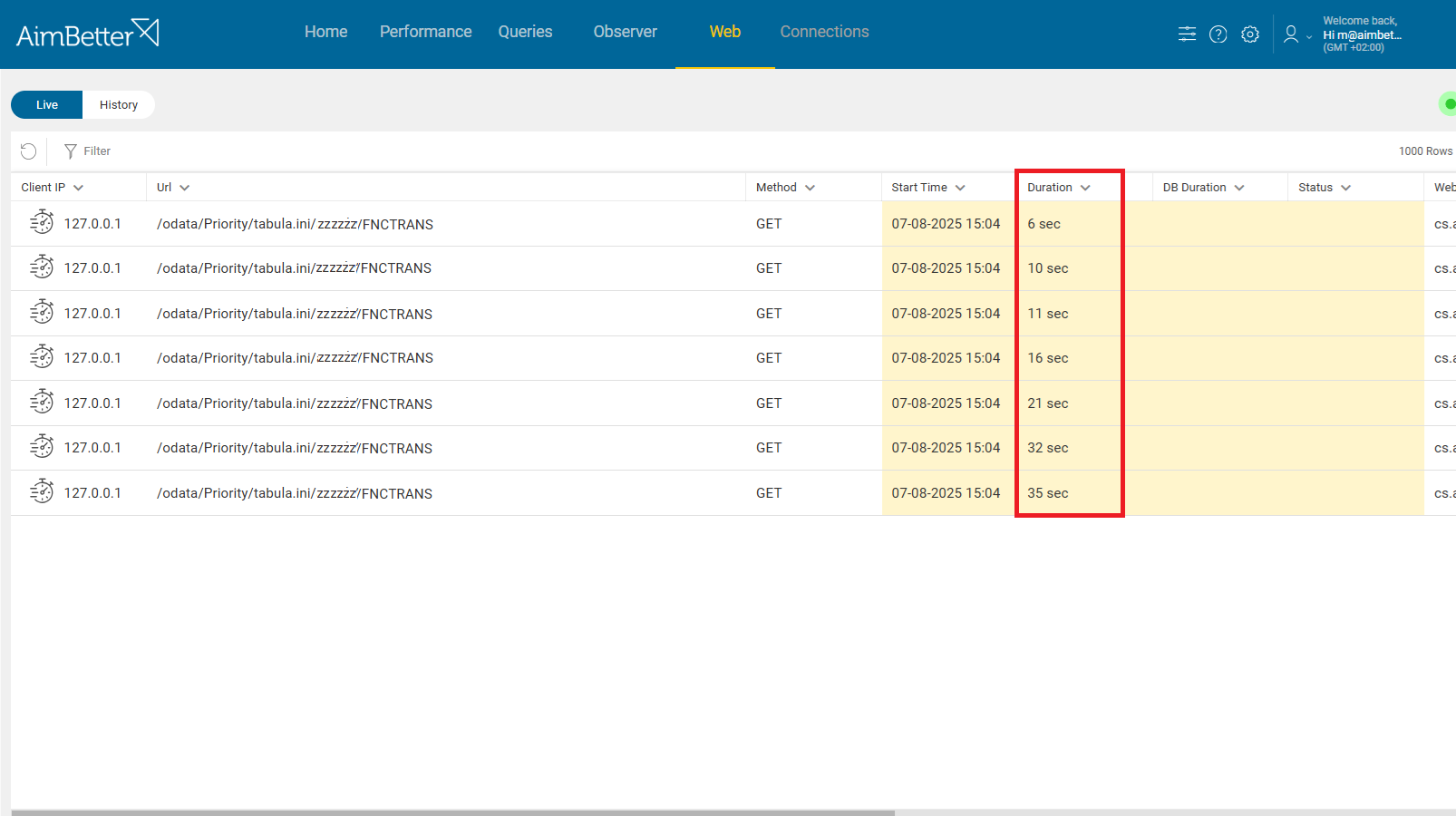
The Process Duration alert monitors the execution time of operating system processes on your servers. It triggers when a process runs longer than expected, helping identify potential resource abuse, system slowdowns, or abnormal behavior.
Tracking specific process duration is critical for maintaining stable, predictable performance in any complex environment—especially in systems like ERPs, where multiple API-driven processes run concurrently and depend on one another. A single misbehaving process can consume excessive CPU or memory and delay other dependent processes, triggering cascading slowdowns in the entire system
Long-Running Processes vs. Triggered Processes
Not all operating system processes behave the same, and understanding their expected execution patterns is important when interpreting Process Duration alerts.
Some processes are designed to run continuously by default. For example, the SQL Server service (sqlservr.exe) is a long-running, persistent process that stays active as long as the database engine is online. Its continuous runtime is normal and expected, and it should not be treated as an anomaly simply because it runs for many hours or days. These types of processes form the foundation of the system and provide core services—databases, web servers, background schedulers, or OS services—that must remain active at all times.
In contrast, many other processes are short-lived and event-driven. These typically start only when triggered by specific actions, such as an API call, a scheduled job, a user request, or an integration workflow. For example, an ERP API handler may launch a process that performs a calculation, sends data to another system, or updates records. These processes normally run for a short duration and then exit. When such processes unexpectedly run for too long, it may indicate abusive behavior, inefficient logic, communication failures with external systems, or resource contention within the environment.
AimBetter allows you to define the expected duration for specific processes based on your system’s normal behavior. Once configured, AimBetter continuously monitors those processes and alerts you whenever one runs longer than anticipated. This makes it easy to identify abnormal behavior early, respond quickly to potential issues, and maintain stable and predictable system performance.
Possible causes
1. Inefficient or Stuck Process Logic
A process may take longer than expected if it encounters inefficient code, loops indefinitely, or gets stuck waiting for a resource.
Problem identification:
Identify a process whose duration exceeds the expected time.
- Check the process’s log files or application output directories for errors or repetitive actions.
- Use Task Manager to see if the process appears as “Not Responding” or shows abnormal behavior.
- Open Resource Monitor or Performance Monitor to correlate the process’s start time with CPU or memory spikes specific to that process.
- Review historical behavior using Task Manager → App history or AimBetter trends to confirm if the process regularly exceeds its expected duration even during normal load.

Recommended action :
- Restart the process or terminate it if it is unresponsive.
- Review and optimize the process’s code or script to remove loops or heavy operations.
- Implement logging or add checkpoints to identify where the process gets stuck.
- Work with the development or vendor team to apply fixes or update the application.
2. External API or Service Delays
Processes that rely on external APIs or services may run longer if those services respond slowly or fail intermittently.
Problem identification:
Examine the behavior of API calls, network timeouts, and retry attempts.
- Use Event Viewer or the application’s own log files to review API calls, timeouts, or repeated retries.
- Check Resource Monitor or Performance Monitor for network latency, dropped packets, or high network utilization during the process runtime.
- Compare execution patterns using Task Manager → App history or AimBetter’s historical data to see if similar processes slow down at the same time.
- Manually test the API with PowerShell (Invoke-WebRequest / Test-NetConnection) to verify response times and connectivity.
Recommended action :
- Enable AUTOEXTEND on critical data files.
- Increase MAXSIZE on heavily-used tablespaces.
- Apply consistent sizing policies across environments.
3. Database Locks or Contention
Processes that interact with databases can be delayed if they encounter locks or high contention on tables or rows.
Problem identification:
Check for blocking sessions, and look for long-running queries initiated by the process.
Check if multiple processes are waiting for the same database resource.
Correlate the timing of database spikes with the long-running process duration.
- Use Activity Monitor in SSMS to check for blocking sessions and see which queries are being blocked.
- Query sys.dm_exec_requests and sys.dm_exec_sessions to identify long-running queries initiated by the process.
- Examine sys.dm_tran_locks or sp_who2 to see if multiple processes are waiting for the same database resources.
- Use Activity Monitor or SQL Server Dynamic Management Views (DMVs), such as sys.dm_exec_requests and sys.dm_os_performance_counters, to compare query start times and durations with CPU, memory, and I/O activity spikes.
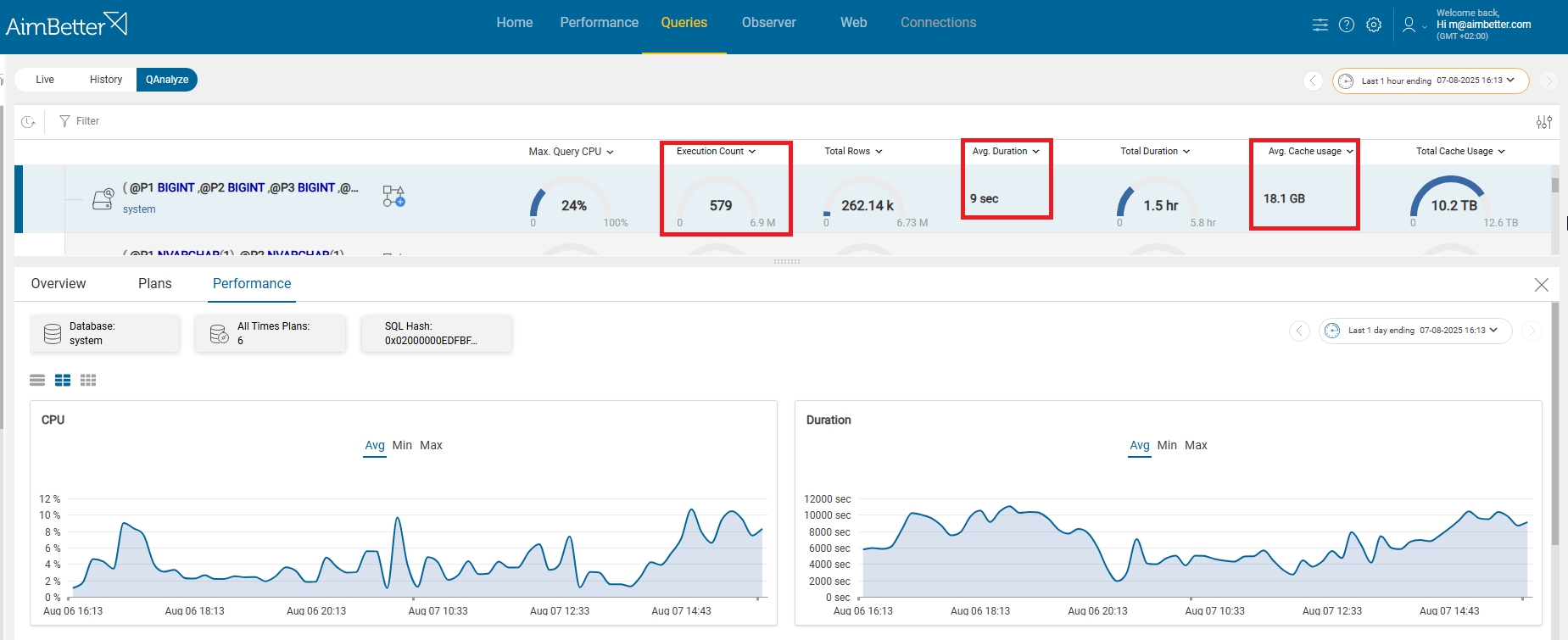
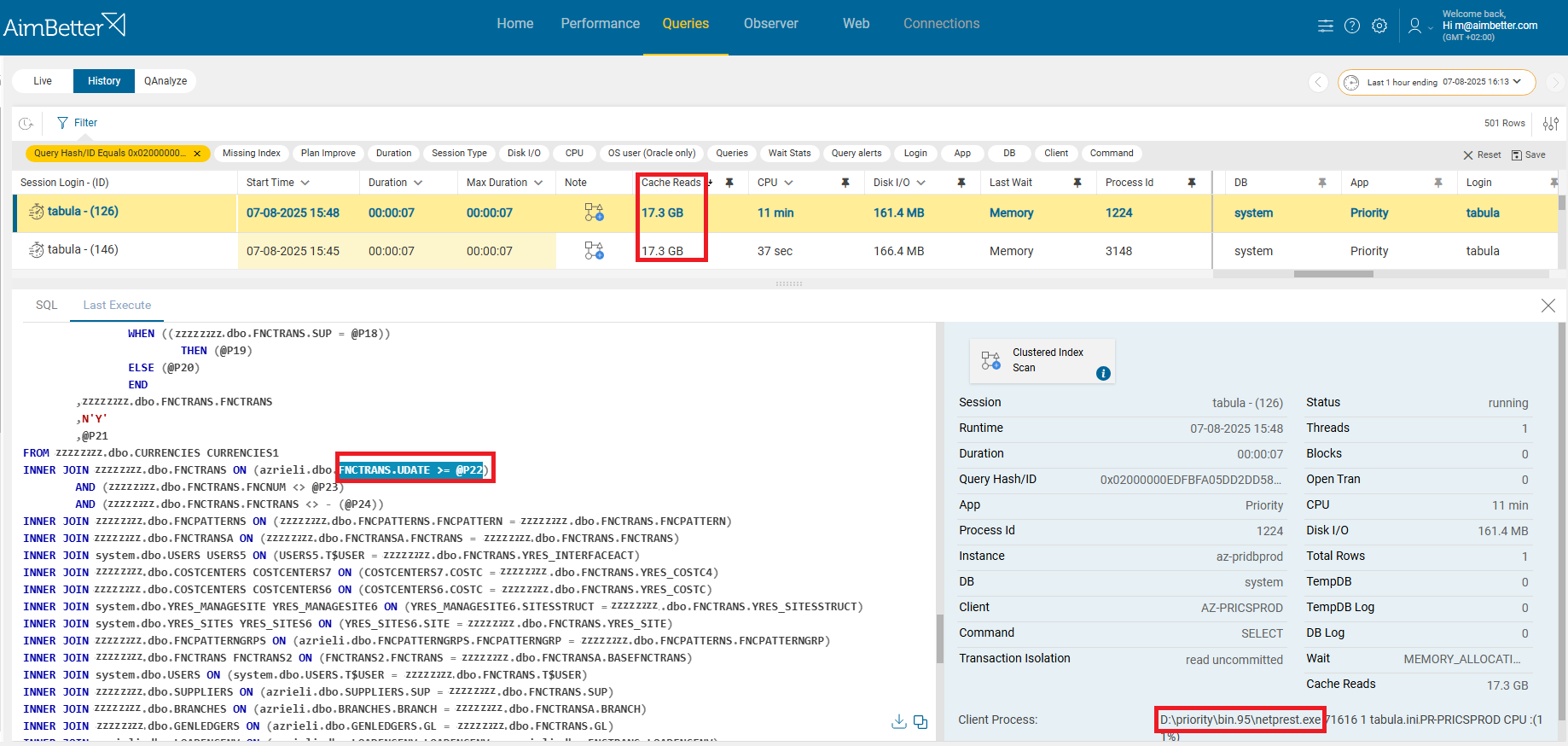
In AimBetter, you can easily filter all blocking and long-running queries and inspect their code and associated users, quickly identifying whether they originate from API calls. The platform also provides recommendations for improving query performance and shows their impact on system resources, enabling faster and more informed remediation.
Recommended action :
- Identify and terminate or optimize blocking queries using SSMS or AimBetter tools.
- Review query design and indexes to reduce lock durations and improve performance.
- Stagger or reschedule conflicting processes to minimize simultaneous access to the same resources.
- Monitor recurring locks and adjust transaction isolation levels or database configuration as needed.