AimBetter UI 2.5.0 brings a more intuitive experience for investigating performance issues, configuring alerts, responding to problems, and staying on top of your environment.
From a redesigned QAnalyze experience and AI-powered insights to flexible Web Alerts and new Responsive Agent actions, this release helps IT teams move faster from detect → understand → act.
QAnalyze: Enhanced Experience
QAnalyze now offers new capabilities to investigate query behavior, compare performance, visualize execution trends, and gain AI-powered insights.
- New QAnalyze Design:An enhanced design provides a clear view of query behavior and performance.
- QAnalyze Compare: Compare query performance across two dates to quickly identify changes between periods.
- QAnalyze Execution Graph: Visualize query execution over time with the new Execution Over Time bar graph.
- AI in QAnalyze – Server Level: Get intelligent insights in the broader context of server activity and performance.

AI Assistance in Queries Live
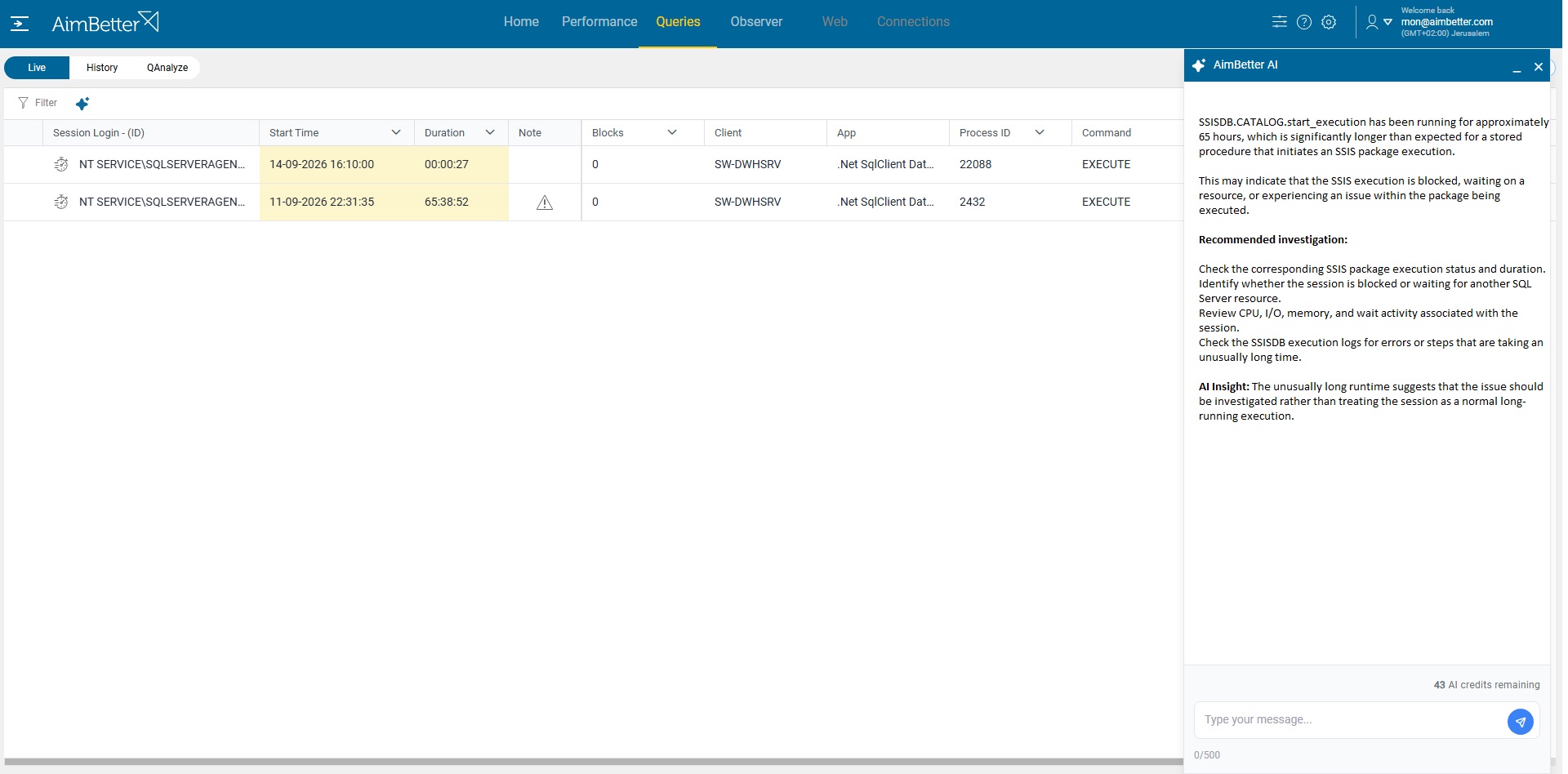
Queries Live gives you a real-time view of database activity, helping you spot bottlenecks as they happen, including long-running queries and blocking queries.
With the new AI Assistance in Queries Live, AimBetter analyzes the current situation and provides actionable insights to help you understand the cause of the bottleneck and identify potential ways to resolve it.
This brings AI-powered guidance directly into real-time investigation, helping teams move from seeing the problem to understanding what to do about it.
Web Alerts: Flexible Custom Alerts
Web applications can fail in many ways. A service may return an unexpected status, a specific URL may slow down or become unavailable, or several conditions may occur together.
Web Custom Alerts now let you define alerts around these real-world scenarios.
Create custom alerts:
- By HTTP status: Receive an alert if more than a defined number of requests with an error status occur, grouped by status.
- By URL: Receive an alert if a request takes longer than a defined time grouped by URL
Each custom alert can include multiple alert rules, each with multiple conditions. For example, the Web request alert by URL can be configured to alert about requests with error status, group them by URL, and help identify which URLs are facing the problem.
This lets teams monitor what matters most to their applications instead of relying only on predefined alert scenarios.

Responsive Agent: Take Action
Finding a problem is only the first step. With the Responsive Agent actions, you can intervene when required.
New supported actions include:
- Restart Agent – for solving monitoring issues
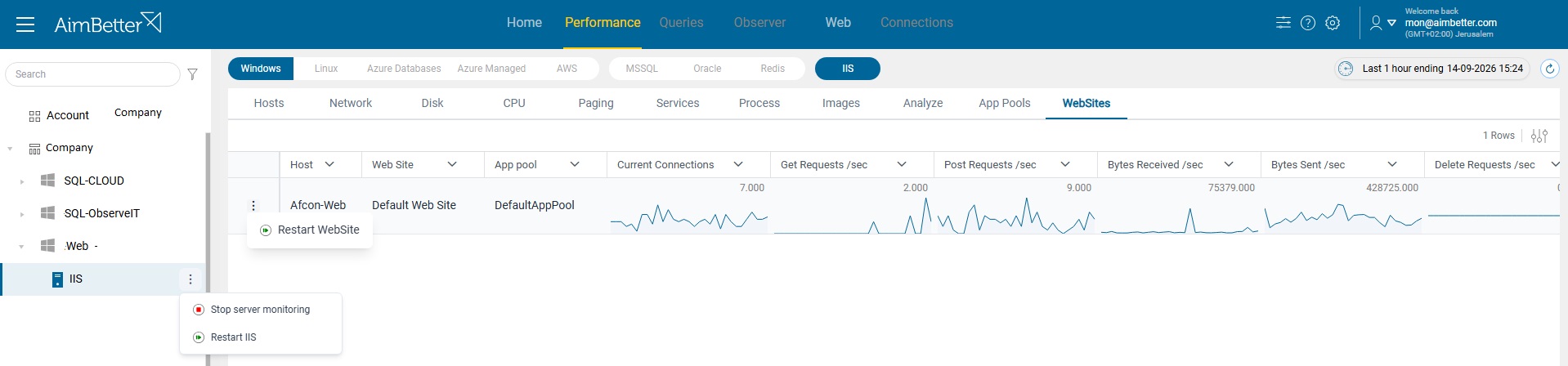
- Restart IIS – quickly recover IIS-related issues
- Restart Website – restarts a specific website when required
- Restart Application Pool – helps recover applications affected by an application pool issue
These automated response options can help reduce manual intervention and accelerate recovery from common application and infrastructure issues.
Alert Settings Improvements
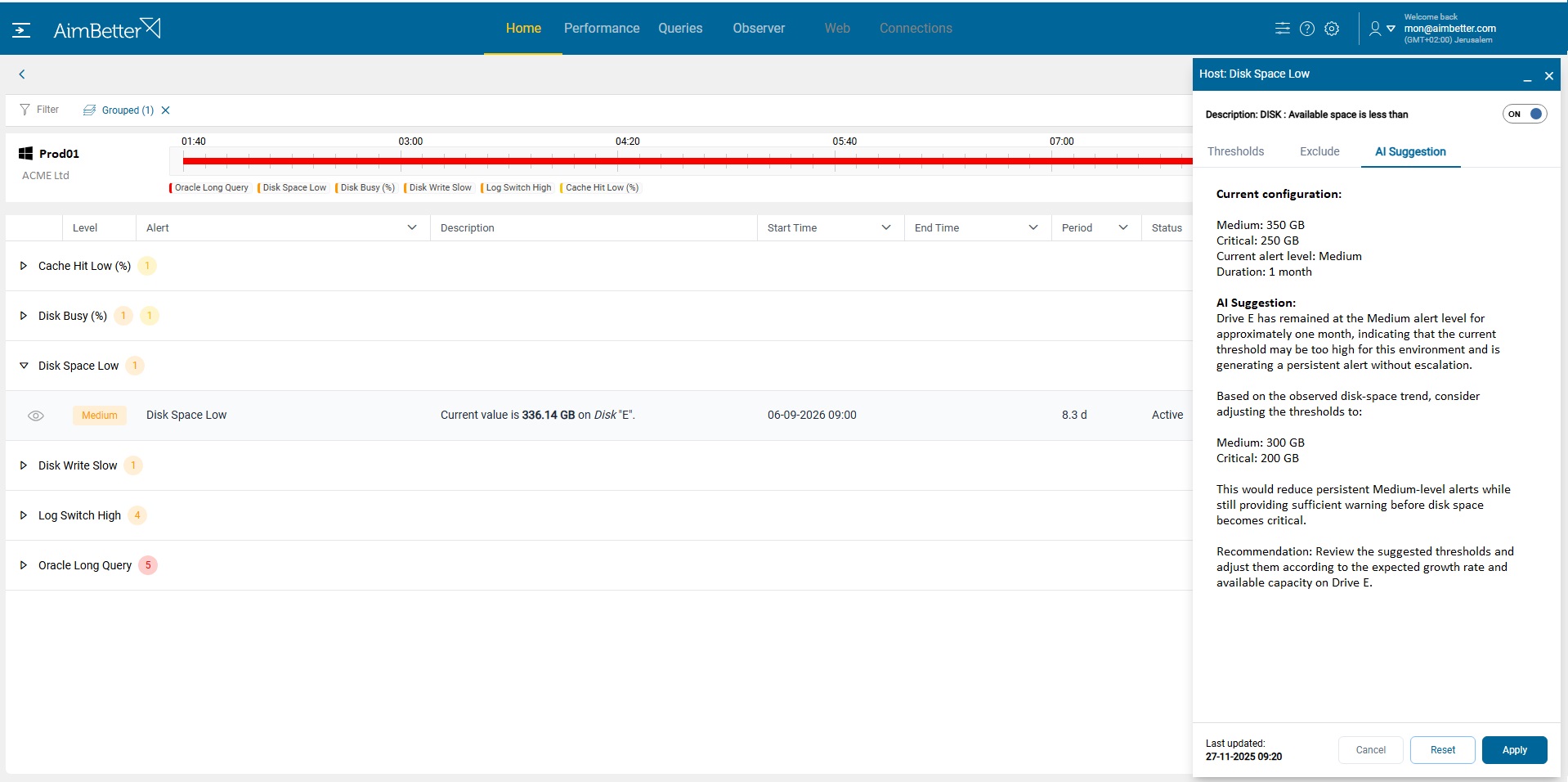
- AI Suggestion for Alert Configuration: Configuring the right alert thresholds can be challenging. Set them too low, and you get unnecessary alerts; set them too high, and you may miss important problems. The new AI Suggestion in Alert Settings helps users make better-informed threshold adjustments based on system behavior.
- Flexible Alert Serial Exclusion: Alert exclusions are also more flexible. Users can now specify any serial number in an exclude rule, even if that serial is not currently detected.
- Confirm Alert Setting Deletion: We’ve also improved the deletion workflow with a confirmation step, making it clearer when an alert setting is being excluded.
Alert Reports Settings
Stay informed with alert reports tailored to your team’s needs. The new Alert Report Settings tab lets you create and manage reports based on schedule, recipients, and alerts to include.
You can also see when the last report was sent and download the latest report directly from the settings.
Whether you need a daily operational overview or targeted reports for specific alerts, reporting is now easier to configure and manage.

Query Alert Details
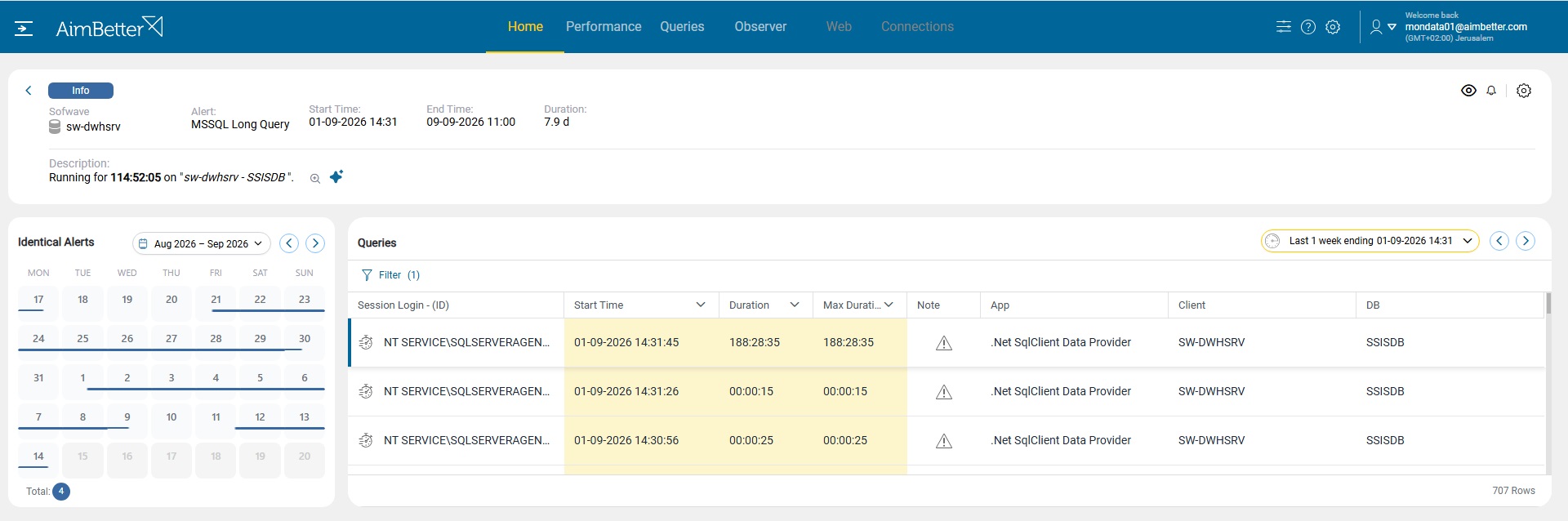
When investigating a Query Alert, users can now drill down directly to the query that triggered the alert and view its historical data.
This provides the context needed to understand not only that a query crossed a threshold, but how that query has behaved over time, making it easier to investigate the issue and identify performance changes.
UX Improvements: Smoother Context-Aware Experience
Version 2.5.0 includes a range of UX improvements designed to make working in AimBetter faster and more seamless. These may be small changes individually, but together they make navigating and investigating issues in AimBetter more efficient.
Preserved Date/time Selection: When navigating between modules, the selected date and time are preserved so you can continue your investigation without resetting the time range.
Context-aware company and server names: AimBetter now displays Company and Server names according to the level selected in the server tree. When viewing a single server, the server name may be unnecessary. At an account level containing multiple companies and servers, however, this information provides important context for the data displayed.
Adaptive Query Filters and Columns: AimBetter monitors multiple platforms and environments, and the UI now adapts accordingly. Query tables and filters display only the information relevant to the selected level in the server tree, making it easier to focus on the data that matters.
Logged In by Default: Users remain logged in by default, creating a smoother experience when opening alert details directly from an alert email.
Floating Settings Icons: Floating Settings icons are now available across all Settings tabs, providing quicker and easier access to configuration options.