Web applications can experience performance and availability problems long before users report them. A growing number of failed requests, slow responses, or errors affecting a specific application or URL can be early indicators of a problem.
AimBetter’s new Web Alerts give IT teams greater flexibility to detect these issues and focus alerts on the Web activity that matters most.
Go Beyond Generic Web Errors
Not every Web error requires the same level of attention. A few failed requests to a rarely used URL may be very different from repeated 500 errors affecting a critical application.
With the new Web Alerts, you can define alert rules based on specific Web request characteristics and combine conditions to target the situations you care about.
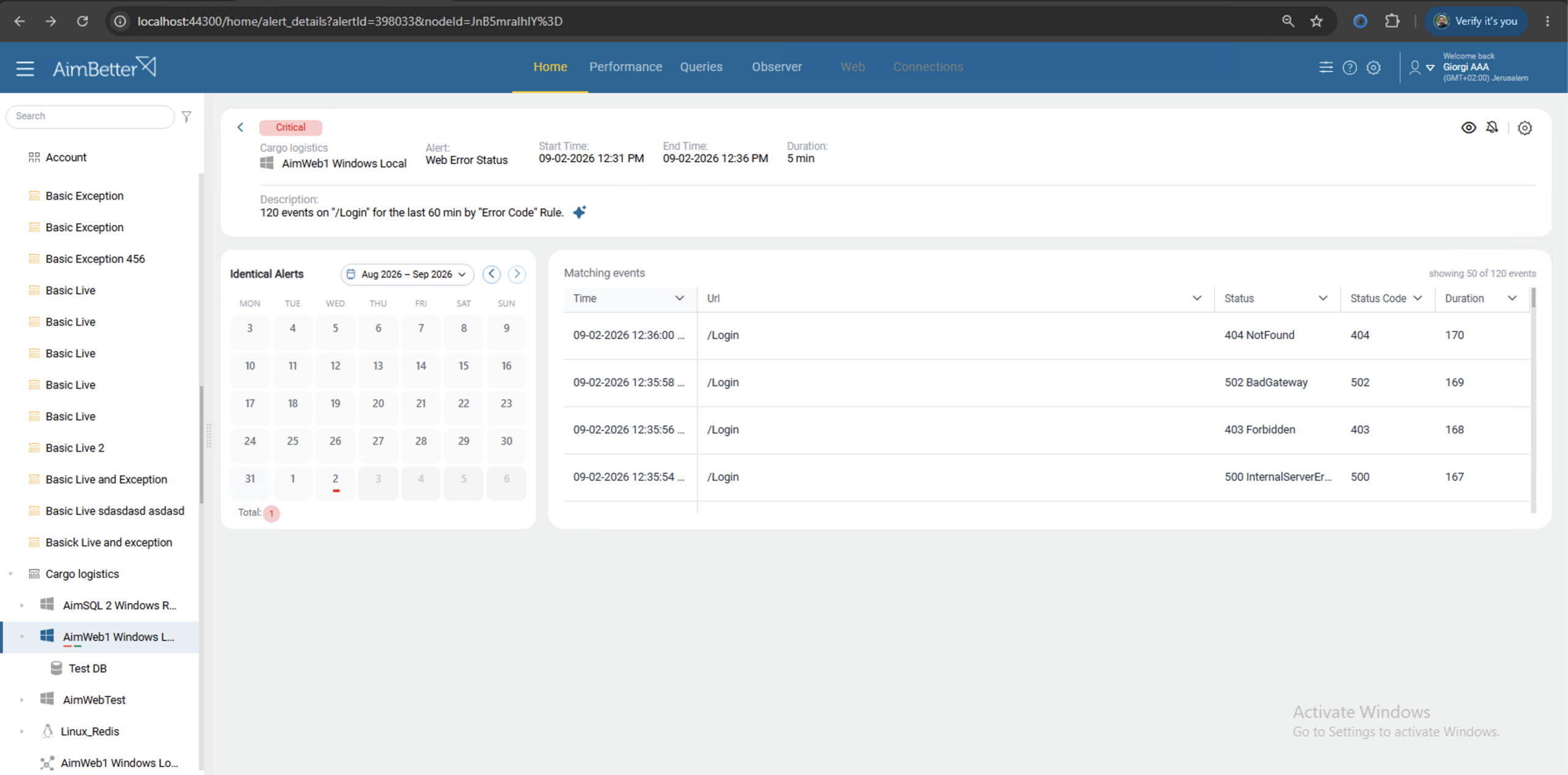
This allows teams to move from:
“Are there Web errors?”
to:
“Are there Web errors that indicate a problem with this specific application, URL, or type of request?”
Flexible Rules for More Relevant Alerts
Web alert rules can be customized to match specific conditions, allowing you to monitor different Web scenarios independently.
For example, you can create rules to:
- Monitor HTTP 5xx errors that may indicate server-side application problems.
- Detect slow requests that exceed an acceptable response time.
- Monitor errors or performance issues for a specific URL or application.
- Combine multiple conditions to identify a more specific problem.
Each rule can have its own severity thresholds, allowing the alert configuration to reflect the importance of the monitored Web activity.
Practical Use Cases
Detect Application Failures
Create a rule for HTTP 500 errors affecting a critical application. A sudden increase in these errors can trigger an alert before the support team starts receiving user complaints.
Identify Slow APIs
Set a threshold for request duration and monitor specific APIs or URLs. This can help identify degradation in application response times that may not yet result in outright failures.
Focus on Critical Applications
Instead of treating all Web errors equally, create rules for the organization’s most important sites or applications and assign them higher severity levels.
Separate Different Problems
Create separate rules for different types of Web problems. For example, one for server errors and another for slow requests. This makes alerts more meaningful and helps teams understand what requires attention.
With flexible Web Alert rules, AimBetter helps teams turn Web activity into focused, actionable alerts, making it easier to detect problems early and prioritize what matters.