In many production environments, TempDB or disk space issues don’t appear suddenly. They usually build up quietly in the background, gradually and without clear visibility. It sometimes occurs outside regular working hours, when monitoring coverage is lower, and by the time the issue surfaces, it may already be impacting critical systems.
Jake, an IT Manager at a retail company specializing in importing and distributing electrical appliances, experienced exactly this scenario.
Late in the evening, after regular business hours, he began receiving complaints: the company’s ERP system had become unresponsive. Users couldn’t complete transactions, and operations had come to a standstill. The issue was clearly urgent.
Jake quickly connected to the database server and discovered the root of the outage: Disk T was completely full. With no free space available, SQL Server could no longer function properly. This disk hosted the TempDB, a critical system database used for temporary objects, sorting, and intermediate query results.
He took immediate action and restarted the database server, which brought temporary relief. Once the server came back online, disk space was released, and the ERP system resumed normal operation.
But this raised a critical question: What caused the disk to fill up so suddenly?
Restarting the server solved the symptom, but not the root cause.
Investigating the Root Cause
Although it was after hours and the NOC team hadn’t responded in time, Jake turned to the AimBetter web platform to investigate further.
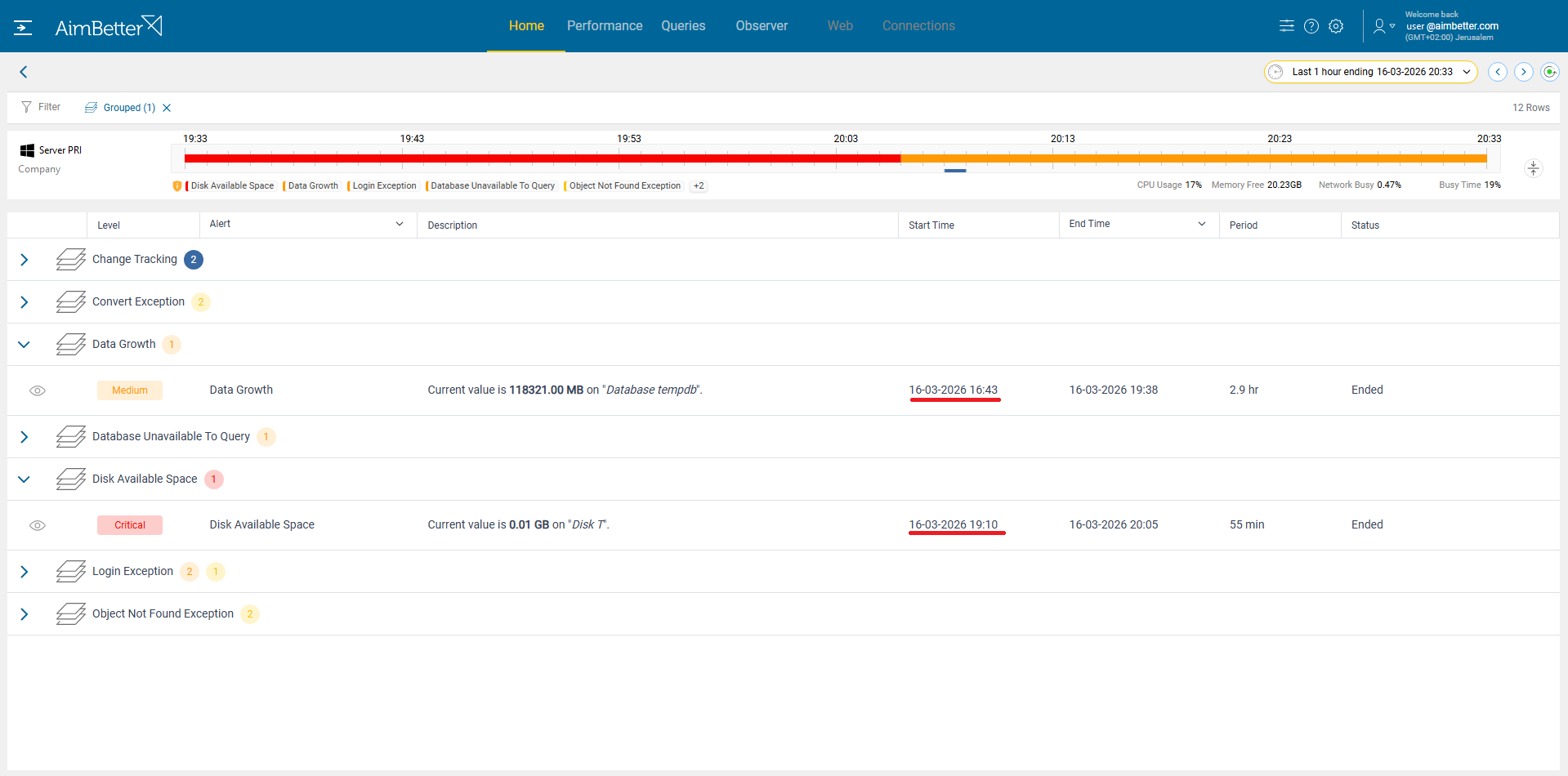
What he found told the full story:
-
A critical alert had been triggered 20 minutes before the outage, indicating that disk space was dangerously low.
-
Even more importantly, a medium-severity alert had been raised over 3 hours earlier, highlighting an extraordinary increase in TempDB data size.
This earlier alert was the real early warning signal, but it had gone unnoticed.
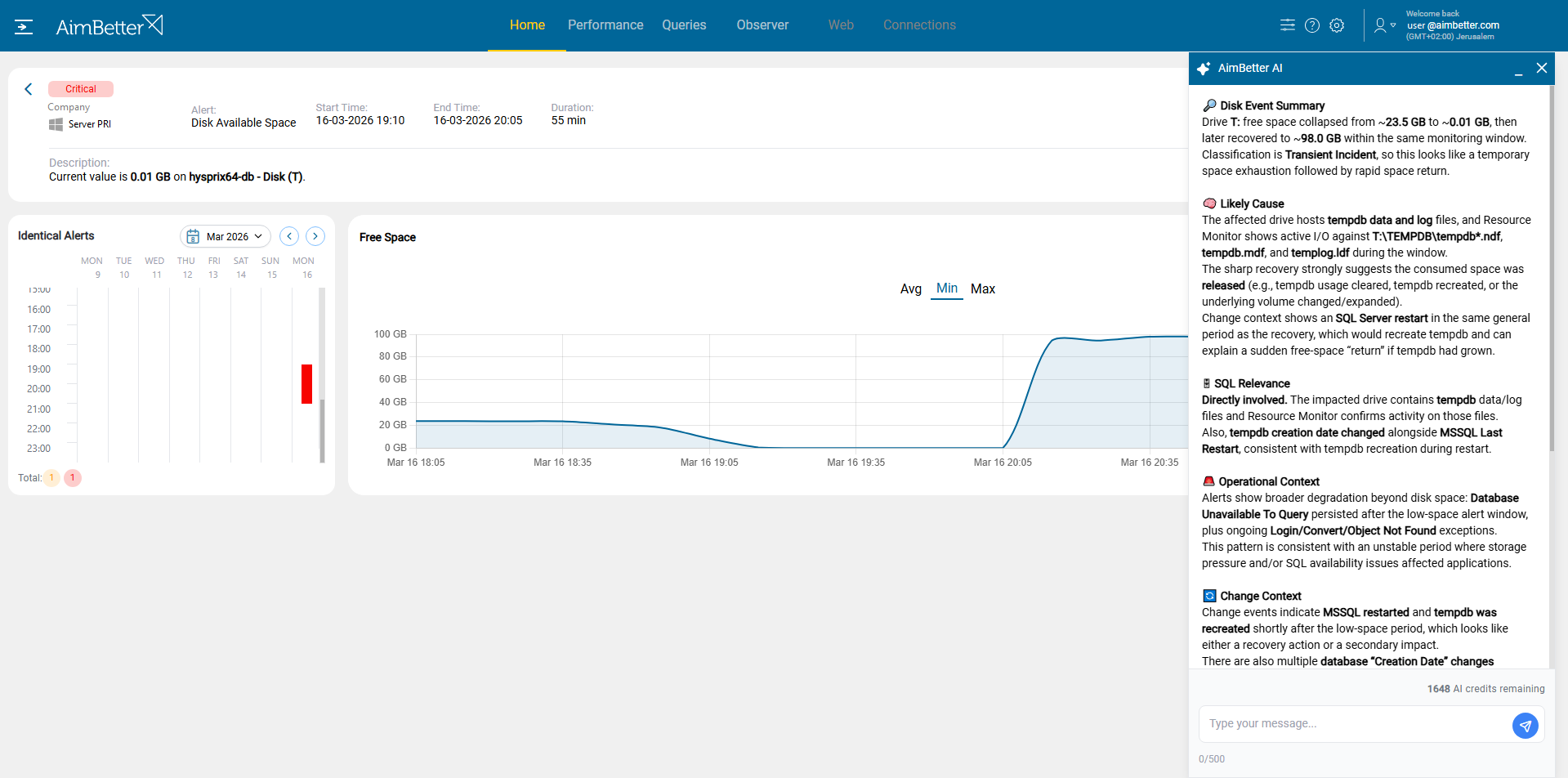
To get additional insight, Jake requested an AI analysis of the Disk T critical alert.
The AimBetter AI analysis confirmed that Disk T experienced a transient capacity event, with free space dropping from ~23.5 GB to near zero before recovering after a SQL Server restart. The cause was identified as TempDB growth, with active I/O on tempdb files during the window, and the restart recreated TempDB, releasing space. The AI recommended reviewing TempDB usage patterns, autogrowth settings, and related SQL operations to prevent similar incidents.
Using AimBetter’s deep monitoring capabilities, Jake drilled down into the SQL Server activity, focusing on high Disk I/O and TempDB usage.
He quickly identified the source: A specific query was responsible for the massive growth in TempDB.


The query generated large intermediate results—likely due to inefficient joins, missing indexes, or excessive sorting—and consumed TempDB space at an abnormal rate.
Instead of guessing or reacting blindly, Jake now had clear, actionable evidence.
Lessons Learned
This incident led to two important improvements:
1. Smarter Alerting Strategy
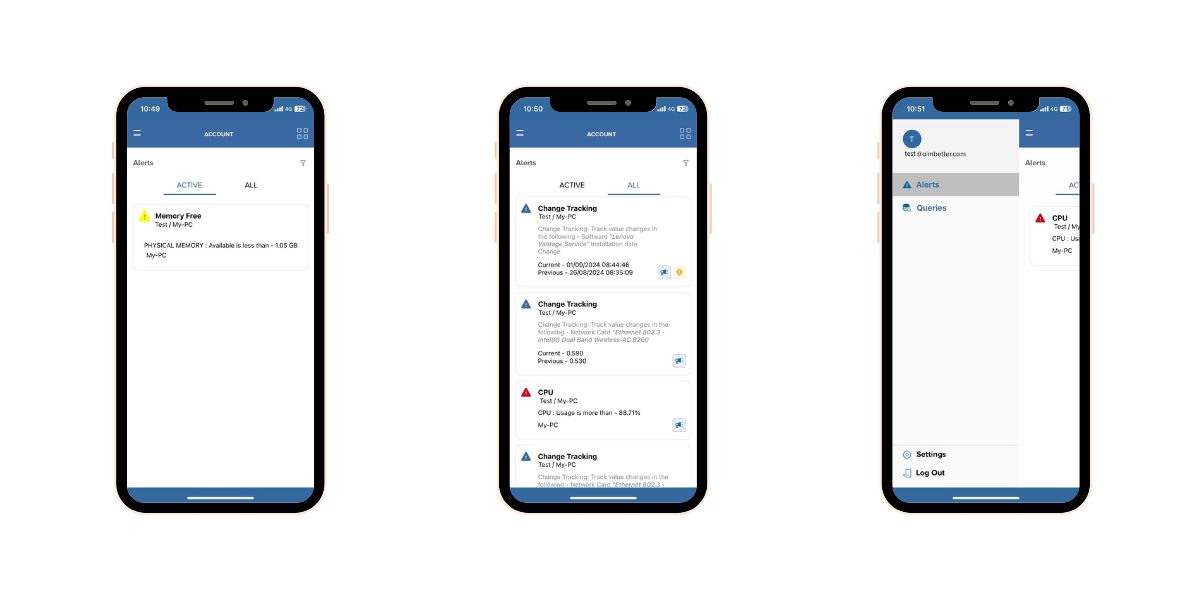
Relying solely on email alerts, especially after hours, proved insufficient. The NOC team simply hadn’t seen the alerts in time.
To address this, Jake mandated the use of the AimBetter mobile app, which delivers:
-
Real-time alerts
-
Ringing notifications
-
Immediate visibility, even outside working hours
This ensures that critical issues are never missed again.
 2. Fixing the Root Cause
Armed with the query details, Jake worked with the DBA team to:
-
Analyze and optimize the problematic query
-
Reduce its TempDB usage
-
Prevent similar uncontrolled growth in the future
This proactive step eliminated the underlying risk, not just the symptom.
How AimBetter Helps
This case highlights a common but often overlooked risk in database environments: TempDB can silently grow until it causes a system-wide failure. Without proper monitoring and alerting, such issues can escalate quickly—especially outside business hours.
With AimBetter, Jake was able to:
-
Trace the issue back in time
-
Identify the exact cause
-
Improve operational response
-
Prevent future outages
What could have been a recurring nightmare became a one-time lesson with lasting improvements.
At AimBetter, we help organizations stay ahead of problems by providing:
-
Precise identification of the processes and queries responsible for consuming space (TempDB /logs/disks), including the user on the system. We call this the root cause.
-
Real-time detection of abnormal trends.
-
Early alerts before users are impacted, including automatic phone notifications.
This ensures teams can prevent issues before they affect production, even outside working hours.
Proactive monitoring isn’t just about alerts. It’s about insight, timing, and action.